
An ecommerce SEO checklist is a release-control system for online stores. It checks whether customers and search systems can reach the right categories and products, understand their commercial facts, use the store on mobile and complete a purchase. A useful checklist also records the evidence, pass condition, owner and next review date for every check.
Run it before and after migrations, theme releases, navigation changes, catalogue imports, filter launches, structured-data changes and analytics updates. Do not wait for traffic to fall before asking what changed.
How to use this ecommerce SEO checklist
Do not mark a vague task such as “fix product SEO” as complete. Write one control for one page group or release. Keep it specific.
| Field | What to record |
|---|---|
| Surface or sample | The template, URL group and representative URLs checked |
| Check | The exact behaviour being tested |
| Evidence | Crawl export, rendered HTML, screenshot, test result or report annotation |
| Pass condition | The observable state required for acceptance |
| Owner | The person responsible for the source and the rendered result |
| Recheck trigger | The date or release event that opens the control again |
Sample the store by template and commercial state. Include a top category, a nested category, products with and without variants, an unavailable item, pagination, a filtered state and a content page. A large catalogue needs representative samples plus automated checks, not a manual review of a few convenient URLs.
Start with the ecommerce SEO strategy if the team has not decided which page groups matter first. Use the controls below once priorities and page owners are clear.
Gate 0: preserve the before-state and assign owners
Control 1: inventory page groups and URL owners
Check: List every indexable template and the search decision it should answer. Label category and product templates first. Add brand and guide templates, then record campaign pages plus filter or internal-search outputs.
Evidence: Save a route inventory with template, canonical pattern, index state, sitemap state, accountable owner and representative URL.
Pass: Each important search intent has one maintained page owner. Two templates are not competing for the same job without a documented reason.
Owner and recheck: SEO and merchandising own the map. Recheck after taxonomy, navigation, catalogue or content-plan changes. The ecommerce keyword research guide explains how to connect India search demand to page owners.
Control 2: save a release baseline
Check: Capture the state that the release could change. Include URLs, responses, canonicals, titles, primary headings and structured data. Add internal links and sitemaps. Save field performance where available.
Evidence: Store dated exports and screenshots beside the release ticket. Add the deployment identifier and affected templates.
Pass: The team can compare the same samples before and after release and can identify which deployment changed them.
Owner and recheck: Development owns the deployment record. SEO and analytics own the comparison evidence. Repeat for every material release.
Gate 1: can Google discover the intended pages?
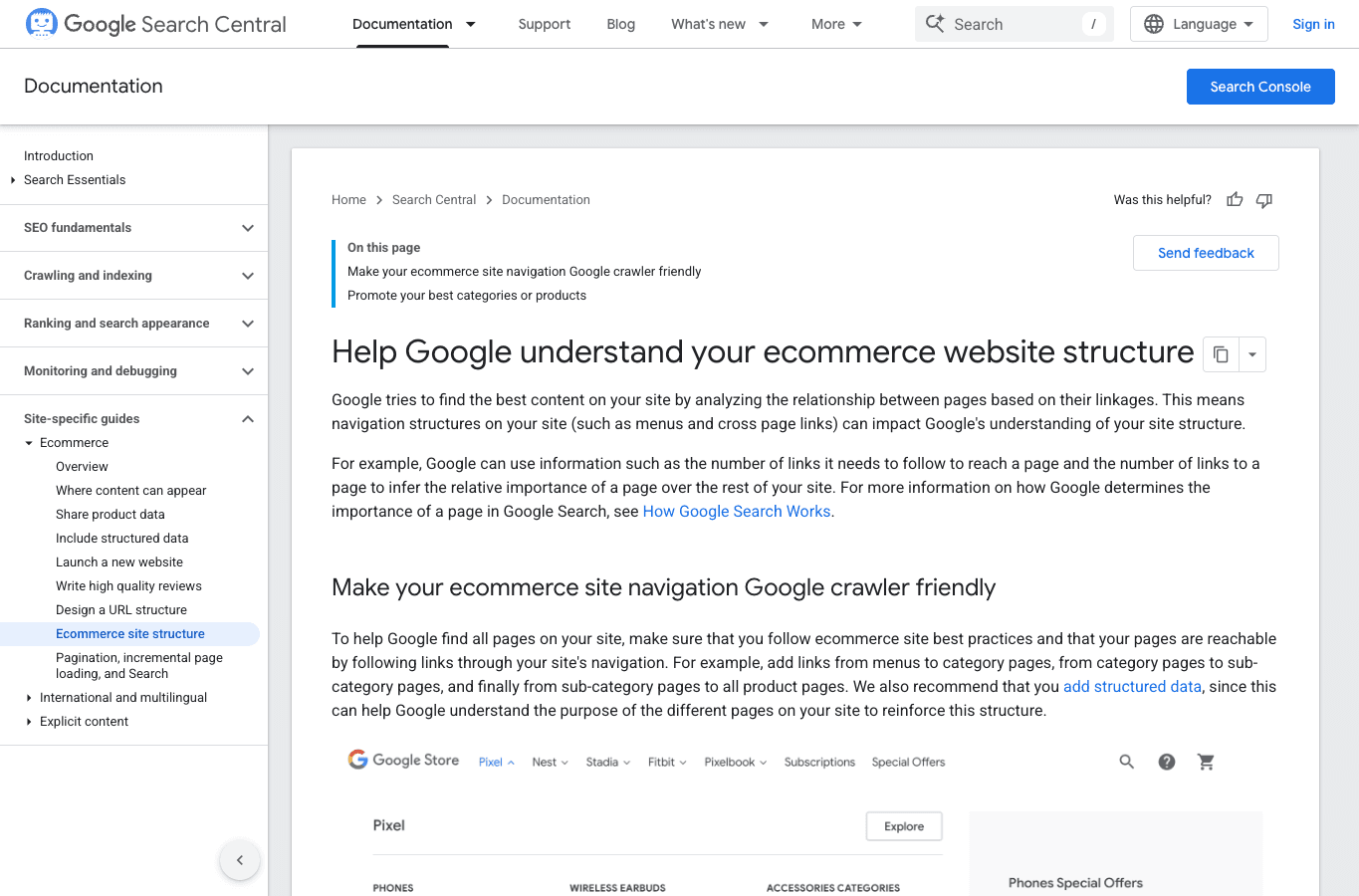
Control 3: test crawlable store paths
Check: Start at the homepage and follow ordinary links through menus, categories and subcategories to products. An internal search box is not a substitute for crawlable links because Googlebot generally does not submit search terms into site search.
Evidence: Keep a crawl-path export and a rendered link sample. Record products or categories found only through a sitemap, feed or internal search.
Pass: Priority pages are reachable through useful links with href, or the team has documented a deliberate alternate discovery path and its limitation.
Owner and recheck: Merchandising owns the hierarchy. Development owns rendered links. Recheck after menu, theme, collection or product-status changes.
Control 4: reconcile responses, robots, canonicals and sitemaps
Check: Compare the HTTP response, robots instruction, canonical target and sitemap inclusion for each sample. These signals should describe the same intended state.
Evidence: Save the crawl columns for status, indexability, canonical and sitemap membership. Keep rendered HTML for exceptions.
Pass: Indexable owners return a valid response, allow indexing, point to the intended canonical and appear in the relevant sitemap. Non-owners do not send contradictory signals.
Owner and recheck: Development owns responses and rendered directives. SEO owns the policy. Recheck after migrations, URL changes, platform upgrades and app installations.
Found a discovery problem?
Request a focused ecommerce SEO review.
Share your store URL, platform, catalogue size and the change you are planning. We will identify the first dependency to verify.
- Page-owner and crawl-path diagnosis
- Category, product and filter-state review
- Evidence-led implementation priorities
Gate 2: does the catalogue architecture create clean page owners?
Control 5: review categories as customer decisions
Check: Confirm that each category contains a coherent and maintained product set. Its title, heading, description, filters and internal links should help a shopper make that category-level decision.
Evidence: Keep the category definition and eligible-product count. Add its parent and child links plus a representative mobile screenshot.
Pass: The category has a distinct job, stable inventory logic and useful paths to products or narrower categories. Empty campaign shells and duplicate collections are not treated as permanent owners.
Owner and recheck: Merchandising owns assortment. Content owns decision support. Use the category page SEO guide for deeper category work.
Control 6: classify every filter and parameter state
Check: Apply filters in a browser and record the URL, link behaviour, response, robots instruction, canonical, sitemap presence and product set. Test whether changing parameter order creates the same state.
Evidence: Save a filter-state matrix that records whether each pattern is an indexable owner, a browsing state or a blocked crawl path.
Pass: Only combinations with verified demand, stable products, distinct decision support and maintained internal links become search owners. Other combinations remain controlled browsing states.
Owner and recheck: SEO owns the index policy. Development owns URL generation and controls. Merchandising owns product eligibility. Recheck after adding attributes or filters.
Control 7: make pagination crawlable
Check: Inspect the first pages of a category and a deeper component page. Confirm that sequential pages have crawlable links and stable URLs. Infinite scroll should expose component pages that can be reached without relying on gestures or button events alone.
Evidence: Keep rendered link samples and a crawl path to a product found on a deeper page.
Pass: Crawlers can move through the series and reach products. Do not rely on rel=next or rel=prev; Google no longer uses those values as indexing signals.
Owner and recheck: Development owns pagination output. Recheck after theme, grid, sort or infinite-scroll changes.
Gate 3: do product states match commercial reality?
Control 8: verify product identity and variants
Check: Compare the product name, brand, model, SKU or GTIN, selected variant, image, price and availability across the page. Test direct links to important variant states where the store supports them.
Evidence: Keep a product-field matrix for one simple product, one multi-variant product and one edge case.
Pass: Customers see one consistent product identity. Variant selections do not silently change price or availability while the URL, visible facts and structured data remain stale.
Owner and recheck: Merchandising owns source facts. Development owns rendering. Use the product page SEO guide for product-specific content and variant decisions.
Control 9: govern unavailable and discontinued products by state
Check: Separate temporary unavailability, seasonal absence, permanent discontinuation and changed URLs. Review demand, links, replacements, legal obligations and customer usefulness before choosing the response.
Evidence: Save a state-to-action table and examples of each live pattern.
Pass: Temporary states remain honest and useful. Permanent removals return an appropriate response or redirect only to a close successor. Unrelated categories do not receive automatic redirects.
Owner and recheck: Merchandising decides commercial state. SEO and development approve the search response. Recheck when stock or replacement status changes.
Control 10: verify India commerce facts
Check: Review INR and tax presentation, pincode serviceability, cash on delivery where offered, delivery dates and return terms. Check pack size and warranty. Review language separately. Compare the product page with cart and checkout behaviour.
Evidence: Keep mobile screenshots for representative pincodes and payment or fulfilment states. Redact personal details.
Pass: The visible promise matches the actual checkout path and current policy. A marketplace offer is not presented as an owned-store fact unless it is explicitly labelled.
Owner and recheck: Commerce operations owns fulfilment facts. Legal or policy owners approve terms. Recheck after carrier, tax, payment or policy changes.
Gate 4: does the rendered page agree with its sources?
Control 11: inspect titles, headings and canonicals in HTML
Check: Compare the CMS or platform fields with the final HTML for each template. Look for theme overrides, duplicate tags, repeated boilerplate and JavaScript that changes important fields after load.
Evidence: Save source values beside the rendered title, meta description, H1, robots instruction and canonical.
Pass: One intended owner produces one clear set of signals. The final HTML, not the admin-field screenshot, determines acceptance.
Owner and recheck: Content owns wording. Development owns templates and output. Recheck after theme, plugin, app or rendering changes.
Control 12: reconcile visible facts, structured data and product feeds
Check: Compare name, image, identifiers, price, currency and availability. Then review condition plus shipping and return data where present. Compare visible content with Product structured data and Merchant Center feed values.
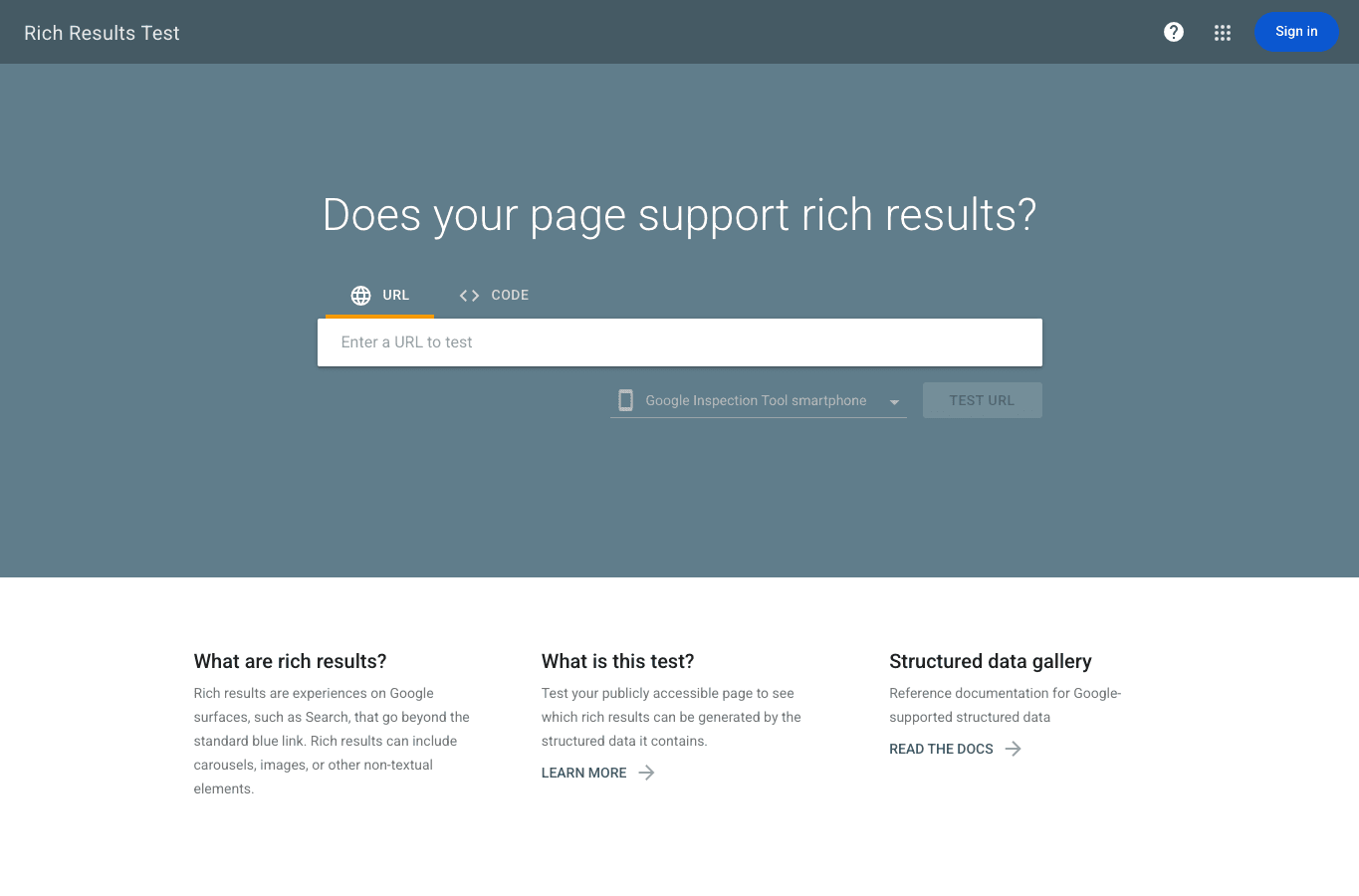
Evidence: Keep a Rich Results Test result, rendered JSON-LD extract and feed comparison for the same product.
Pass: Material facts agree and supported fields validate. Valid markup creates eligibility, not a promise of a rich result, ranking or AI citation.
Owner and recheck: Merchandising owns facts. Development or feed operations owns transmission. The ecommerce schema guide covers implementation detail.
Control 13: check product images and alternatives
Check: Confirm that main and variant images load at suitable dimensions, have descriptive alternative text where needed and do not hide critical product information inside the image alone.
Evidence: Keep a mobile page capture, image response sample and missing-alt report by template.
Pass: Images support the product decision, render without avoidable layout movement and remain connected to the correct product or variant.
Owner and recheck: Creative and merchandising own assets. Development owns delivery. Recheck after image-pipeline or theme changes.
Control 14: test category and product content against the decision
Check: Read the page as a customer, not as a keyword list. A category should explain the product set, meaningful differences and selection criteria. A product page should answer identity, fit, use, evidence and purchase questions that the listing grid cannot resolve.
Evidence: Keep the mapped search intent beside the title and heading, then connect it to the decision-support sections. Record unanswered questions from internal search, support tickets and verified query data without treating each phrase as a new page.
Pass: The content helps users make the page-level decision and supports the intended query group. It does not repeat supplier copy, manufacture claims or force the same keyword block onto every page.
Owner and recheck: Content owns the explanation. Merchandising and product experts own factual approval. Recheck after assortment, specification, policy or search-intent changes.
Control 15: inspect internal-link purpose, not only link count
Check: Follow links from guides into categories, from categories into products and between related customer decisions. Check anchor wording, destination status and whether links remain visible in rendered mobile HTML.
Evidence: Save an internal-link export by source template and destination owner. Add orphaned priority pages and links that point through redirects to the release backlog.
Pass: Important pages receive useful links from relevant sources. Customers can move from information to a commercial owner without loops, broken links or a generic “read more” trail.
Owner and recheck: SEO and content own link purpose. Development owns components. Recheck after URL, navigation, content or template changes.
Control 16: review earned authority at the correct destination
Check: Review backlinks, credible brand mentions and product references by destination. Determine why the source linked and whether the target is still the best owner for that relationship. Separate editorial authority from paid, automated or irrelevant placements.
Evidence: Keep the linking page, destination URL, anchor context, discovery date and relationship type. Record lost or redirected links that point to retired commercial pages.
Pass: Useful references reach maintained pages and support the brand or product claim they discuss. Link work does not depend on bulk placements, false endorsements or copied digital PR claims.
Owner and recheck: Digital PR owns outreach and evidence. SEO owns destination mapping. Review monthly and after migrations or major URL changes. The ecommerce link-building guide owns the full acquisition process.
Gate 5: is the release acceptable on real devices?
Control 17: read field data before lab scores
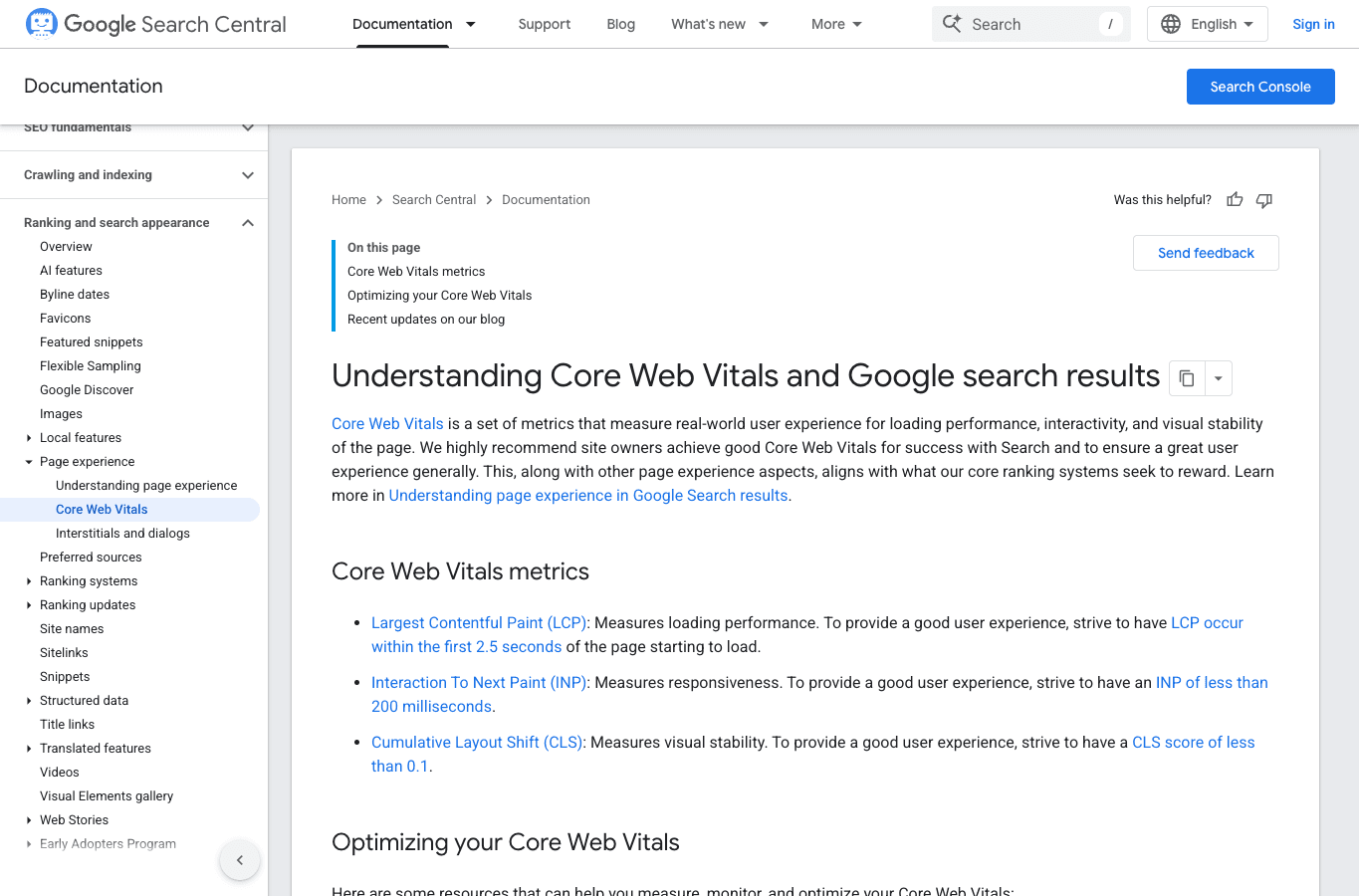
Check: Review Core Web Vitals by origin and page group where sufficient field data exists. Current good thresholds are LCP within 2.5 seconds, INP under 200 milliseconds and CLS at or below 0.1 at the 75th percentile.
Evidence: Keep the dated field-data view and affected URL group. Use lab traces to diagnose causes, not to replace field evidence.
Pass: The team knows which template needs work, on which device and for what metric. The responsible resource, script or component has an owner.
Owner and recheck: Development owns delivery. Product owns third-party functionality. Use the product-page Core Web Vitals guide for diagnosis.
Control 18: test the shopping path after performance changes
Check: On a mobile viewport, test navigation and filters, then product options and cart. Confirm consent, analytics and the checkout handoff after changing scripts, images, fonts or loading behaviour.
Evidence: Keep a release checklist and console or network errors for failed steps.
Pass: The page is faster or more stable without breaking discovery, measurement or purchase tasks. A higher lab score does not pass if the cart fails.
Owner and recheck: Development and quality assurance own acceptance. Recheck after performance, consent, analytics or third-party script releases.
Gate 6: can the result be measured?
Control 19: group Search Console data by page owner
Check: Create separate filters or exports for categories and products. Add guide and other page groups. Review clicks, impressions, CTR and average position by landing page and query intent.
Evidence: Keep the filter definition, date range, comparison period and release annotation. Search Console average position is not a fixed daily rank, and totals can differ by grouping.
Pass: The report can show which page group changed and whether the intended URL owns the intended queries.
Owner and recheck: SEO owns query and page grouping. Review monthly and after meaningful releases.
Control 20: connect search visits to store outcomes carefully
Check: Compare organic landing sessions and ecommerce events with Search Console trends and the order system. Align dates, time zones, channel definitions and product identifiers before drawing a conclusion.
Evidence: Keep report definitions and note missing consent, attribution or identity coverage.
Pass: The team can explain what each system measures and avoids claiming that Search Console clicks equal sessions, orders or revenue.
Owner and recheck: Analytics owns definitions. Commerce operations owns order truth. Review after tracking or checkout changes.
Refresh the checklist monthly and after releases
Review evidence once a month even when no incident is visible. Open the affected gates immediately after a migration, theme update, navigation change, catalogue import, new filter, schema release, feed change, analytics update or major policy change.
The control is complete only when its evidence is dated and its pass condition is observable. “Done in the admin” is not enough. Search systems and customers receive the live storefront.
Ecommerce SEO checklist FAQs
What should an ecommerce store check first?
Start with page ownership and discovery. If the wrong URL owns the query, or products cannot be reached through crawlable store paths, rewriting descriptions will not fix the dependency.
How do you check a very large ecommerce catalogue?
Group URLs by template, category depth, product state, variant pattern and index role. Run automated checks across the full inventory, then inspect representative and high-value samples. Add edge cases such as empty categories, deep pagination and unavailable products.
How often should the checklist be repeated?
Review the evidence monthly. Repeat the affected gates after every material store release rather than rerunning every manual check on an arbitrary fixed schedule.
Does AI search require a separate technical checklist?
AI visibility adds observation and citation tracking, but it does not replace crawlable pages, stable entities, consistent product facts, supported claims and useful answers. No schema type or content format guarantees an AI mention or citation.
Is this the same as an ecommerce SEO audit?
No. This checklist is an operating control for teams and releases. A full audit investigates why the store is underperforming, prioritises constraints and defines the implementation plan. If you want that diagnosis, request an ecommerce review with your store URL, platform and main commercial concern.