Technical Ecommerce SEO: The Complete Guide to Store Performance
Technical ecommerce SEO controls whether canonical product, category and editorial pages can be discovered, rendered, understood and kept current. This guide turns crawl, indexation, facets, performance, sitemaps, canonicals and JavaScript into page-level decisions you can test and monitor.
Table of Contents
1. Why Technical SEO Matters for Ecommerce
Ecommerce stores face technical SEO challenges that most other websites never encounter. A store can expose far more URL states than canonical pages once product variants, filters, pagination, sorting and internal search are included. Technical SEO keeps that state space aligned with the pages the business actually wants discovered and indexed.
A faceted navigation system can create many combinations from a modest catalogue. If internal links continually expose low-value states, search crawlers may spend time away from canonical product and category pages. Quantify that pattern with a crawl and server logs before choosing robots, linking, canonical or rendering controls.
The cost of technical debt
Technical SEO issues compound over time. A single misconfigured canonical tag might not seem catastrophic, but when that misconfiguration applies to a template used by 10,000 product pages, you've just told Google that 10,000 pages should be treated as duplicates. A JavaScript rendering issue that hides pricing data from the rendered output can make Product markup inconsistent across every product page and affect search-feature eligibility.
Treat technical SEO as ongoing infrastructure maintenance, not a one-time audit. Set monitoring frequency from release cadence and risk, test representative templates, and retain before-and-after evidence for material changes.
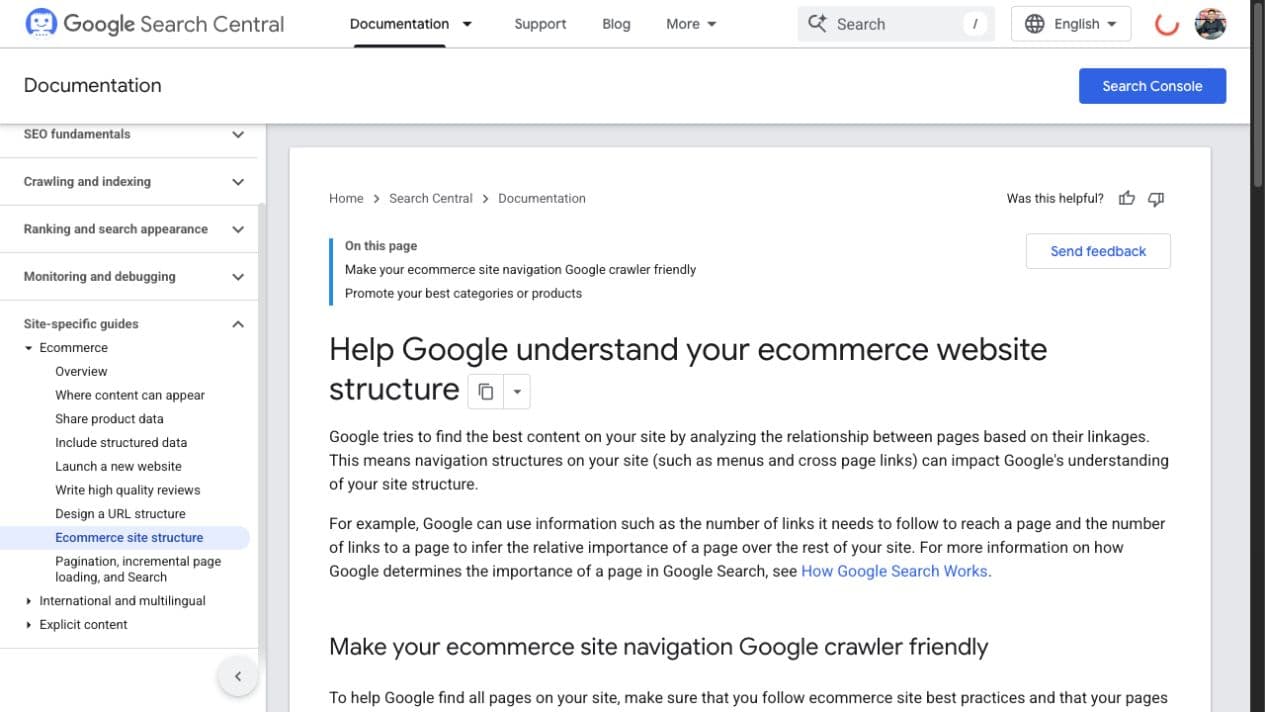
- Crawl efficiency: Reduce duplicate and low-value crawl paths so canonical products, categories and supporting content remain discoverable
- Index coverage: Get every product, category, and content page properly indexed
- Render fidelity: Make sure Google sees the same content, pricing, and structured data that users see
- Speed performance: Use field data to improve Core Web Vitals and product usability
- International accuracy: Serve the right content to the right market without duplicate content issues
2. Crawl Budget Optimization
Crawl budget describes the crawl capacity and demand Google applies to a site over time. Practical constraints include how quickly the server can handle requests and how much demand Google has to recrawl the site's URLs.
Crawl-budget risk depends on the number of discoverable URL states, change frequency, response quality and how much time Googlebot spends outside the canonical set—not on a universal catalogue threshold. See our dedicated guide to crawl budget optimization for large catalogs.
Identifying crawl budget waste
Open Google Search Console and navigate to Settings > Crawl Stats. This report shows you how many pages Googlebot crawls daily, average response time, and the breakdown by response code. But Search Console gives you aggregate data. For page-level crawl analysis, you need server log files.
The most common sources of crawl budget waste in ecommerce stores include:
- Faceted navigation URLs: A category page with 15 filters, each with 5-20 options, can generate hundreds of thousands of URL combinations. Most of these have zero search volume and thin content.
- Sort parameter URLs: URLs like /category?sort=price-asc, /category?sort=newest, /category?sort=rating. These create duplicate content with the same products in a different order.
- Pagination beyond page 3: Deep pagination pages (/category?page=47) rarely get organic traffic and consume crawl budget that could go to product pages.
- Internal search result URLs: If your site search generates indexable URLs (/search?q=blue+shoes), Google may crawl thousands of these.
- Session and tracking parameters: URLs with session IDs, UTM parameters, or tracking codes that create duplicate versions of every page.
Fixing crawl budget issues
Address crawl waste in layers. Stop generating unnecessary states, remove internal links to non-useful combinations, and return consistent canonical and status signals. Use robots.txt only when preventing the crawl is the intended trade-off; blocked URLs cannot be crawled to see a canonical or noindex directive. Keep pagination crawlable when it is the discovery path to products.
On a multi-vendor platform, those crawl decisions also need to follow live inventory. Our marketplace SEO guide maps category, location, seller and listing URLs through candidate, active, scarce, empty, retired and reactivated states.
After implementation, monitor crawl stats and server logs across a period long enough to observe the affected templates. Track canonical product and category crawls, unwanted parameter crawls, response codes, indexation and recrawl latency. Define success against the store's baseline rather than a generic percentage.
3. Site Architecture and URL Structure
Your site architecture determines how authority flows through your store, how easily Google discovers new pages, and how users navigate from broad categories to specific products. The architecture should keep important products and categories reachable through clear paths while preserving meaningful hierarchy. Audit actual click depth and orphan states instead of enforcing one number across every catalogue.
The optimal ecommerce URL hierarchy
A clean URL structure for ecommerce follows this pattern:
- Homepage: example.com/
- Category: example.com/category-name/
- Subcategory: example.com/category-name/subcategory-name/
- Product: example.com/category-name/product-name/ or example.com/product-name/
The debate between nested product URLs (/shoes/running/nike-air-max/) and flat product URLs (/nike-air-max/) is largely settled: both work. Flat URLs are simpler to manage and avoid issues when products belong to multiple categories. Nested URLs provide additional topical context but require careful redirect management when products move between categories.
Breadcrumb implementation
Breadcrumbs serve three SEO functions: they provide internal links with descriptive anchor text to parent categories, they help Google understand your site hierarchy, and they generate breadcrumb rich results in search. Implement BreadcrumbList schema markup alongside visible breadcrumbs. For products that belong to multiple categories, choose a primary category path for the breadcrumb and use it consistently.
Click depth and crawl priority
Click depth affects discovery and the internal-link path through which importance and context flow. Audit depth with a crawler, then add useful links from relevant categories, guides or navigation when commercially important pages are unnecessarily buried.
4. Core Web Vitals for Ecommerce
Core Web Vitals measure three dimensions of user experience: loading performance (Largest Contentful Paint), interactivity (Interaction to Next Paint), and visual stability (Cumulative Layout Shift). For ecommerce stores, meeting these thresholds is both an page-experience consideration and a usability constraint worth measuring. We cover product-page-specific optimizations in our Core Web Vitals guide for product pages.
LCP optimization for product pages
The Largest Contentful Paint element on most product pages is the hero product image. Optimize LCP with these techniques:
- Preload the hero image: Add a <link rel="preload"> tag in the document head for the above-the-fold product image. This tells the browser to start downloading it immediately rather than waiting to discover it during rendering.
- Use efficient image formats: Compare WebP or AVIF against an appropriate JPEG/PNG baseline and choose the smallest acceptable result for each image; savings depend on the source and encoding settings.
- Implement responsive images: Use srcset and sizes attributes to serve appropriately sized images for each viewport. A mobile user should not download a 2000px-wide product image.
- CDN delivery: Serve images from a CDN with edge caching. This reduces time-to-first-byte for image requests, directly improving LCP.
- Avoid lazy-loading above-the-fold images: Lazy loading is excellent for below-the-fold content but delays the loading of the LCP element if applied to the hero image.
INP optimization for interactive stores
Interaction to Next Paint (INP) measures how quickly your site responds to user interactions like clicks, taps, and keyboard input. Ecommerce stores are particularly vulnerable to poor INP because of heavy JavaScript for add-to-cart buttons, variant selectors, price calculators, quantity pickers, and filter interactions.
Improve INP by breaking long JavaScript tasks into smaller chunks using requestIdleCallback or scheduler.yield(). Move non-critical JavaScript to web workers. Defer third-party scripts (analytics, chat widgets, recommendation engines) until after the main thread is idle. Use CSS transitions instead of JavaScript animations for visual feedback on button clicks and hover states.
CLS optimization for dynamic content
Cumulative Layout Shift is caused by content that moves after the initial render. Common CLS offenders on ecommerce sites include late-loading product images without explicit dimensions, price updates after JavaScript execution, injected promotional banners, dynamic review widgets, and lazy-loaded recommendation carousels that push content down.
Fix CLS by setting explicit width and height attributes (or aspect-ratio CSS) on all images and video embeds. Reserve space for dynamic content using min-height on container elements. Use CSS contain to isolate layout changes. Load fonts with font-display: optional or font-display: swap with font-size-adjust to minimize text layout shifts.
5. Faceted Navigation and Filters
Faceted navigation can create useful demand-led landing pages or a large space of repetitive URL states. The difference comes from URL ownership, product depth, internal links and consistent index controls.
The indexation decision framework
Not every filter combination deserves its own indexable URL. Use this framework to decide which combinations to index:
- Index when: Verified demand, a useful product set, stable availability and distinct decision value justify a canonical landing page.
- Canonicalize when: Two accessible states are genuinely equivalent, such as a sort order that does not change the underlying category intent.
- Prevent or control crawling when: The state has no user or search value, produces empty combinations, or creates unbounded multi-select paths.
Technical implementation patterns
There are four primary patterns for handling faceted navigation technically:
- Pattern 1: Static pre-rendered pages. Create dedicated, static URLs for high-value filter combinations (/shoes/running/black/). These pages have unique content, H1 tags, meta descriptions, and internal links. All other filter combinations use AJAX without changing the URL.
- Pattern 2: Parameter-based with selective indexing. Use URL parameters for all filters (/shoes?color=black&type=running) and use canonical tags and robots meta tags to control which combinations get indexed.
- Pattern 3: Hash-based filtering. Use URL fragments (#color=black) for non-indexable filters. Since Google does not process URL fragments, these combinations are automatically excluded from crawling.
- Pattern 4: JavaScript-only filtering. Apply filters via JavaScript without any URL change. The parent category URL stays the same, and filtering is entirely client-side. This is the safest approach for preventing index bloat but sacrifices the ability to create indexable filter pages.
A hybrid approach is common: stable landing pages for approved demand-led combinations and non-indexable interface states for the rest.
6. XML Sitemaps for Large Catalogs
XML sitemaps are your direct communication channel with search engines about which pages exist and which ones matter most. For large ecommerce catalogs, sitemap strategy goes far beyond generating a single sitemap.xml file and hoping for the best.
Sitemap architecture for ecommerce
Use a sitemap index file that references separate sitemaps by content type:
- sitemap-products.xml (or split into sitemap-products-1.xml through sitemap-products-N.xml for large catalogs): Contains all indexable product page URLs
- sitemap-categories.xml: Contains all category and subcategory page URLs
- sitemap-brands.xml: Contains brand landing pages
- sitemap-blog.xml: Contains blog posts and content pages
- sitemap-images.xml: Optional but useful for image-heavy stores—helps Google discover product images for image search
Sitemap hygiene rules
Your sitemaps should follow these rules strictly:
- Only include indexable, canonical URLs: If a URL has a noindex tag, returns a redirect, or has a canonical pointing elsewhere, it should not be in your sitemap. Inconsistencies between your sitemaps and on-page directives confuse search engines.
- Accurate lastmod dates: The lastmod field should reflect when the page content actually changed, not when the sitemap was regenerated. If your sitemap shows today's date for every URL every day, Google will learn to ignore your lastmod dates entirely.
- Remove out-of-stock products strategically: If a product is permanently discontinued, 301 redirect it to the nearest relevant category or replacement product and remove it from the sitemap. If it's temporarily out of stock, keep it in the sitemap but ensure the page content clearly indicates unavailability.
- Partition for diagnosis: Stay within protocol limits and split files when smaller page-type or catalogue partitions make indexation monitoring easier.
Dynamic sitemap generation
Static sitemaps become stale quickly in active ecommerce stores where products are added, removed, and updated daily. Implement dynamic sitemap generation that automatically reflects your current catalog state. Most ecommerce platforms and frameworks support this natively or through plugins. For custom implementations, generate sitemaps from your product database on a scheduled basis (daily or on content change) and ping search engines via the Sitemap Ping protocol or IndexNow when updates occur.
7. Canonical Tags and Duplicate Content
Duplicate content is the default state of most ecommerce stores. Product variants, filter combinations, pagination, sort options, tracking parameters, and HTTP/HTTPS or www/non-www versions all create duplicate or near-duplicate pages. Canonical tags are your primary tool for telling Google which version of each page should be indexed.
Canonical tag rules for ecommerce
- Self-referencing canonicals on every page: Every indexable page should have a canonical tag pointing to itself. This prevents issues when your URL is accessed with unexpected parameters.
- Variant products: If product variants (color, size) have separate URLs, decide whether each variant should be a unique indexable page or canonicalize all variants to the primary product URL. The decision depends on whether each variant has unique search demand. "Black Nike Air Max 90" may warrant its own page; "Nike Air Max 90 Size 10" probably doesn't.
- Paginated pages: Keep component pages crawlable when they are needed to discover products. Use self-referencing canonicals when each URL represents its own page state, or a genuine view-all canonical only when that page is complete and usable. Do not noindex deeper pages as a default; test the product-discovery path and internal links.
- HTTP vs HTTPS and www vs non-www: Ensure 301 redirects from non-canonical protocol and subdomain versions. Canonical tags are a hint, not a directive—redirects are stronger.
- Trailing slash consistency: Pick a convention (with or without trailing slashes) and enforce it via redirects. Canonical tags should reflect the chosen convention.
Common canonical tag mistakes
Canonical tag errors are among the most damaging and hardest-to-detect technical issues in ecommerce SEO. Watch for these common mistakes:
- Canonicalizing to a 404 page: When products are discontinued but the canonical tag in the template still points to the deleted URL.
- Canonical chains: Page A canonicalizes to Page B, which canonicalizes to Page C. Google may or may not follow the chain correctly. Canonicals should always point directly to the final target.
- Conflicting signals: A page with a canonical tag pointing to URL X but the XML sitemap listing URL Y. Or a page that is both noindex and has a canonical to a different URL. These conflicts confuse Google.
- JavaScript-rendered canonicals: If your canonical tag is inserted by JavaScript rather than in the server-rendered HTML, Google may not process it during the initial crawl. Always include canonical tags in the initial HTML response.
8. JavaScript Rendering and SEO
Modern ecommerce frontends increasingly rely on JavaScript frameworks—React, Vue, Angular, Next.js, Nuxt, SvelteKit—for rendering product pages. While Google has made significant progress in JavaScript rendering, there are still critical considerations for ensuring your JavaScript-powered store is fully visible to search engines.
How Google renders JavaScript
Googlebot fetches a page and may render JavaScript to see the final DOM. Rendering dependencies, blocked resources, errors or delayed API calls can still produce an incomplete result, so test the rendered page rather than assuming either success or failure from the framework.
Core product content that depends on JavaScript has more failure modes than content already present in the response. Confirm that identity, price, availability, links, reviews and structured data appear in the rendered HTML and remain consistent. For a deeper look at rendering strategies and their SEO trade-offs, see our guide to JavaScript rendering and SSR for ecommerce.
Rendering strategies for ecommerce
- Server-Side Rendering (SSR): The server generates HTML for the request. This can reduce rendering dependencies for frequently changing commerce data when implemented and cached correctly.
- Static Site Generation (SSG): Pages are pre-built at build time. Excellent for performance and SEO, but impractical for large, frequently changing catalogs. Use SSG for static content pages and landing pages.
- Incremental Static Regeneration (ISR): A hybrid approach where pages are statically generated but can be revalidated at defined intervals. Ideal for product pages that change periodically (price updates, stock changes). Next.js supports this natively.
- Dynamic rendering: Serving different rendered output to bots is a workaround, not the preferred long-term architecture. Use it only with a clear migration and parity plan.
Testing your JavaScript SEO
Use Google's URL Inspection tool in Search Console to see how Googlebot renders your pages. Compare the rendered HTML against your source HTML to identify content that requires JavaScript execution. Check that product titles, descriptions, pricing, availability, and structured data are present in the initial server response. Test key page templates, not just individual URLs—a rendering issue in a product page template affects every product on your site.
9. International Technical SEO
If your ecommerce store sells to multiple countries or in multiple languages, international technical SEO determines whether the right version of your site appears for the right audience. Get it wrong, and you'll see your US product pages ranking in Germany, your UK pages competing with your Australian pages, and your non-English content invisible in local markets.
Hreflang implementation
Hreflang tags tell Google which language and regional version of a page to show to users in different locations. For ecommerce stores, hreflang implementation is notoriously error-prone. Here are the rules:
- Bidirectional references: If page A references page B as an alternate, page B must reference page A. Missing return tags cause hreflang to fail silently.
- Self-referencing tags: Every page should include a hreflang tag pointing to itself, in addition to its alternates.
- x-default fallback: Include an x-default hreflang tag pointing to your default/international version for users whose language or region does not match any specific version.
- Canonical and hreflang alignment: The canonical URL of each page must match the URL used in its hreflang tag. If the canonical and hreflang URLs don't match, Google will ignore the hreflang.
- Complete sets: Every page in every language/region version must include hreflang tags for all versions. If you have 5 regional versions, every page needs 5 hreflang tags (plus x-default).
Implementation methods
There are three ways to implement hreflang:
- HTML link tags in the head: The most common method. Works well for sites with a moderate number of regional versions (under 10). Adds HTML weight to every page.
- HTTP headers: Useful for non-HTML resources (PDFs, images) and sites where modifying the HTML head is difficult.
- XML sitemap: The recommended method for large ecommerce stores with many regional versions. Keeps hreflang data out of the HTML, reducing page weight. Create language-specific sitemaps with xhtml:link elements referencing all alternates.
International URL structure
Choose between ccTLDs (example.de), subdomains (de.example.com), or subdirectories (example.com/de/). For most ecommerce stores, subdirectories are recommended because they consolidate domain authority, are simplest to manage technically, and work well with hreflang implementation. ccTLDs provide the strongest geographic signal but split domain authority and require managing multiple properties. Subdomains are a middle ground but are treated as separate sites by Google, diluting authority.
Currency and pricing considerations
Display prices in the local currency for each regional version. Ensure your Product schema uses the correct priceCurrency ISO code for each version. If prices differ between regions, each regional page should have unique structured data reflecting its actual pricing. Never use client-side JavaScript to convert currencies from a base price—Google will see the base currency in the initial HTML, creating inconsistencies between displayed prices and structured data.
FAQ
Technical Ecommerce SEO FAQs
Building Your Technical SEO Foundation
Technical ecommerce SEO is not a one-time project—it's an ongoing discipline. The challenges covered in this guide—crawl budget management, site architecture, Core Web Vitals, faceted navigation, sitemaps, canonical strategy, JavaScript rendering, and international SEO—require continuous monitoring and iteration as your store grows.
Start with an audit of your current technical state. Crawl your site with Screaming Frog or Sitebulb to identify existing issues. Check your Search Console coverage report for indexation problems. Analyze your server logs to understand how Googlebot actually interacts with your store. Measure your Core Web Vitals across key page templates.
Prioritize fixes based on impact. Crawl budget issues and indexation problems should be addressed first because they prevent Google from seeing your content at all. Core Web Vitals and rendering issues come next because they affect how Google evaluates the content it does see. International SEO and advanced sitemap strategies are important but secondary to getting your core technical foundation right.
The stores that consistently outperform in organic search are not the ones with the most backlinks or the longest product descriptions. They are the ones with the cleanest technical foundations—where every product page is crawlable, indexable, fast, and properly structured for Google to understand.
Need a Technical SEO Audit for Your Ecommerce Store?
Our team specializes in technical ecommerce SEO for stores of all sizes. We'll crawl your site, analyze your server logs, audit your Core Web Vitals, review your canonical strategy, and deliver a prioritized action plan that fixes the issues holding back your organic performance.
We hit our KPIs in less than 3 months. We moved our key revenue-driving pages to positions #1 and #2.
Related Articles
A complete ecommerce SEO checklist with 65+ actionable items covering technical SEO, on-page optimization, content, link building, and analytics.
Go beyond basics with advanced ecommerce SEO techniques: programmatic SEO, entity optimization, log file analysis, and AI-driven search optimization.