Shopify SEO Tools & Apps: How to Choose the Right Stack
Start with what Shopify already handles, identify one measurable problem, and add one tool only when it closes that specific gap. This guide uses official listing data, real screenshots and a safe test-and-rollback process.

Important limitation
These examples are listing-based observations, not comparative performance tests. Marketplace details can change, so verify the current official listing before installation.
On this page
What Shopify already does before you install an SEO app
Shopify already generates several technical SEO foundations. According to Shopify's official SEO overview, stores receive automatically generated canonical tags, sitemap.xml and robots.txt, and themes include title tags with the store name. Merchants can edit page titles, meta descriptions, URLs and image alt text.
Before installing an app, check whether the requirement is already covered by:
- Shopify's page, product, collection and blog editors;
- your theme's existing structured data;
- Google Search Console for indexing, query and page performance;
- PageSpeed Insights or Lighthouse for speed diagnostics; and
- a documented manual workflow for redirects, titles and collection content.
An app becomes useful when the work is repetitive at catalogue scale, the native control is missing, or the store needs monitoring that a person cannot reliably perform page by page.
Choose a Shopify SEO tool by the job it must do
Do not begin with “Which app is best?” Begin with “Which problem is costing this store visibility, and how will we know it is fixed?”
| Store problem | First check | Capability to evaluate | Proof after implementation |
|---|---|---|---|
| Missing product metadata | Export product and collection samples | Rules, templates, bulk editing and exceptions | Valid metadata on intended indexable URLs |
| Heavy images or weak alt text | Test image weight, LCP and current alt attributes | Compression, formats, bulk rules and rollback | Smaller bytes without visual loss; useful alt text |
| Broken links after catalogue changes | Review Search Console, crawl reports and redirect history | Scheduled crawling, alerts and redirect workflow | Important links resolve; retired URLs redirect correctly |
| Incomplete or conflicting product schema | Inspect rendered markup on representative templates | Variant support and conflict detection | One coherent Product entity matching visible facts |
| Store slowed after app changes | Compare before-and-after field and lab data | Asset reporting, script controls and reversibility | No material performance or conversion regression |
| SEO work is not measurable | Establish Search Console and analytics baselines | Page grouping, integrations and annotations | Dated page- and query-level comparison |
One app can claim several of these capabilities, but overlapping apps can create duplicate metadata, competing schema blocks and unnecessary storefront code. Assign one owner per job.
Three Shopify SEO apps worth evaluating for specific jobs
These examples show different approaches visible on official listings. They are not a ranked top three. Confirm the current listing, test on a duplicate theme where possible, and validate the output on your own catalogue.
Plug In SEO: broad auditing and monitoring
On 24 August 2026, the official Plug In SEO listing showed a price starting at USD 29.99 per month, a 4.5/5 rating from 533 reviews, and vendor-described capabilities covering SEO audits, metadata, broken links, structured data and keyword analysis.
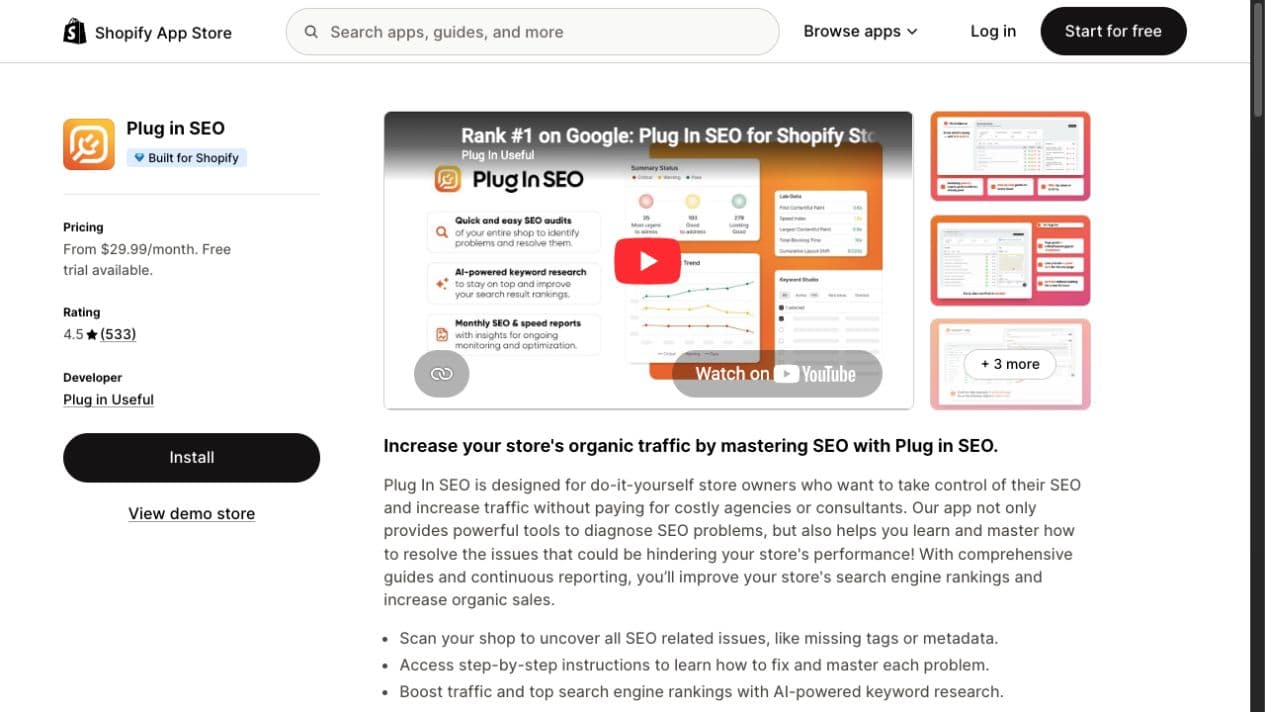
This type of app is relevant when a team needs one recurring audit surface across a large store. Before paying for breadth, confirm which checks are actionable for your theme and which repeat information already available in Search Console or a technical crawl.
SEOWILL: catalogue-scale automation with India-based support
The official SEOWILL listing showed a free plan, a 4.8/5 rating from 1,731 reviews, and identified the developer as based in India on 24 August 2026. Its listing described audits, speed work, metadata, image alt text, structured data and AI-assisted content features.
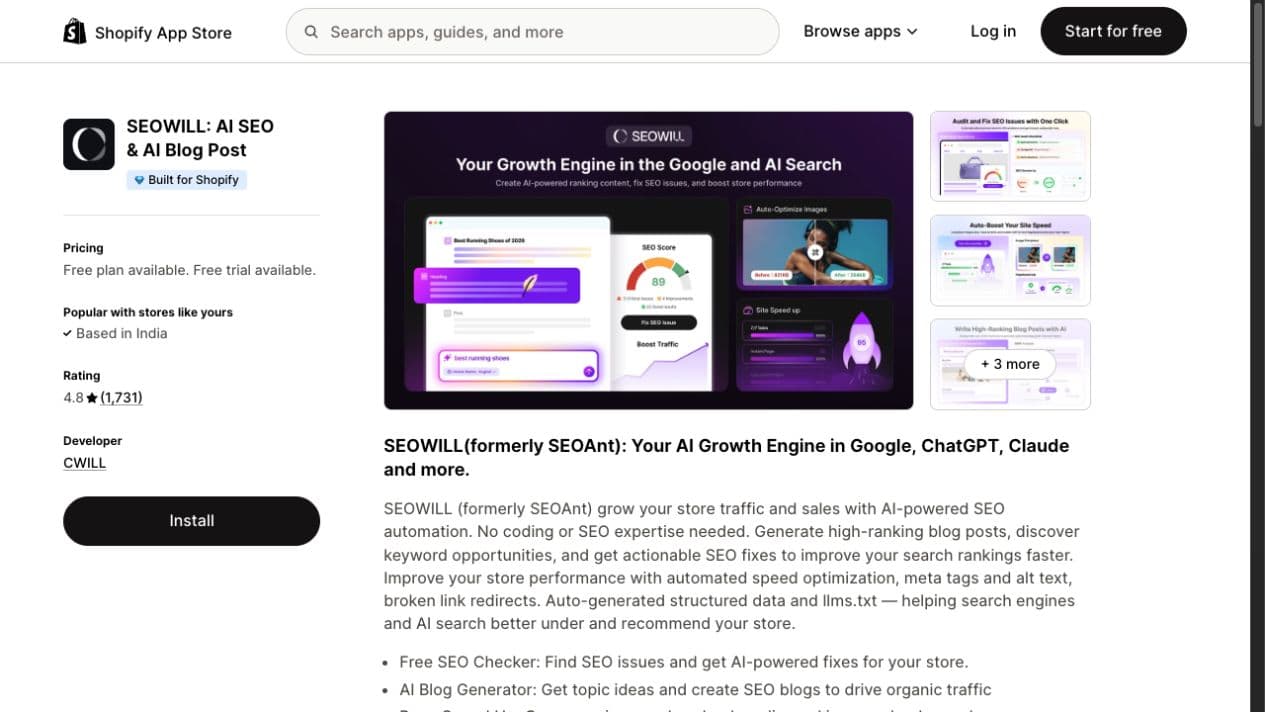
The broad automation may suit an Indian D2C catalogue with many products and a small operating team. Automation that publishes repetitive or inaccurate copy at scale creates a larger quality problem than the one it was meant to solve.
Yoast SEO for Shopify: guided on-page analysis
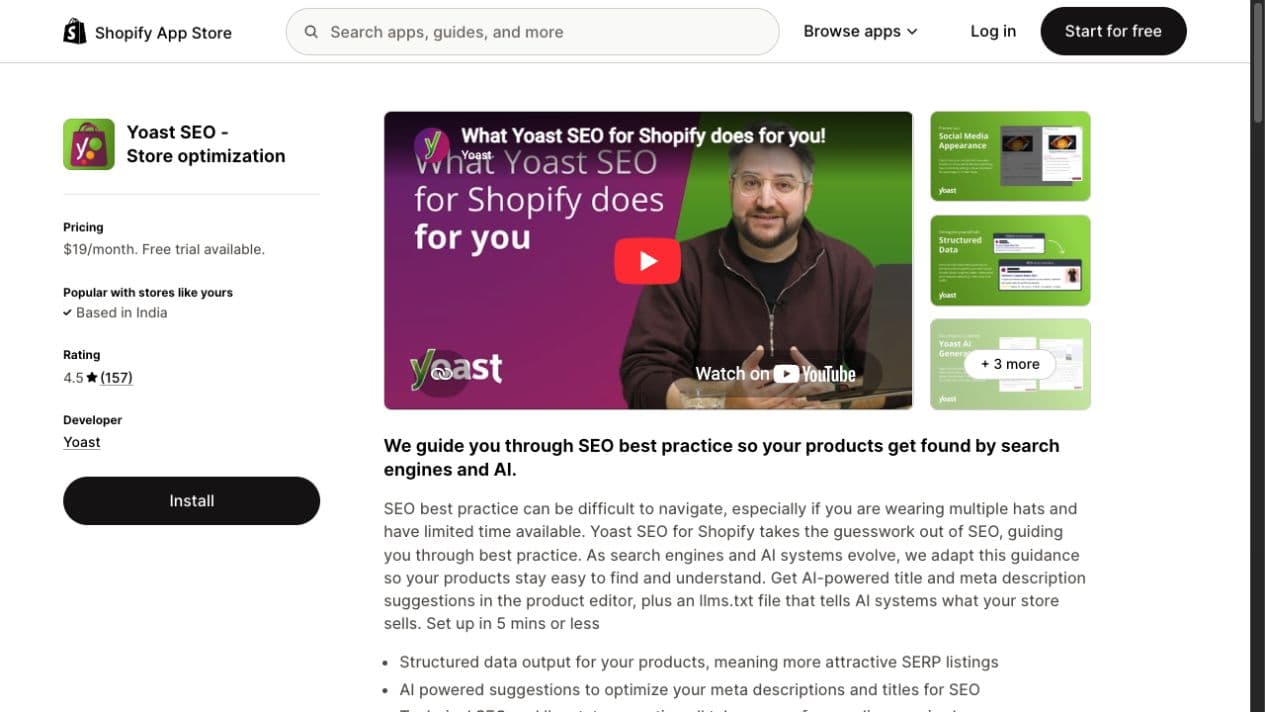
On 24 August 2026, the official Yoast SEO listing showed USD 19 per month and a 4.5/5 rating from 157 reviews. The vendor described guided content and metadata analysis plus structured data. The listing also positioned its output as helping search engines and AI systems understand products.
What an official app listing can and cannot prove
An official listing can help you verify the developer, current pricing, declared capabilities, support options and marketplace feedback. It cannot prove that the app will improve rankings, protect storefront performance or fit your catalogue workflow.
Use the listing to create a shortlist, then validate the output on a duplicate theme or limited URL sample. The category view below shows how broad the available options are.
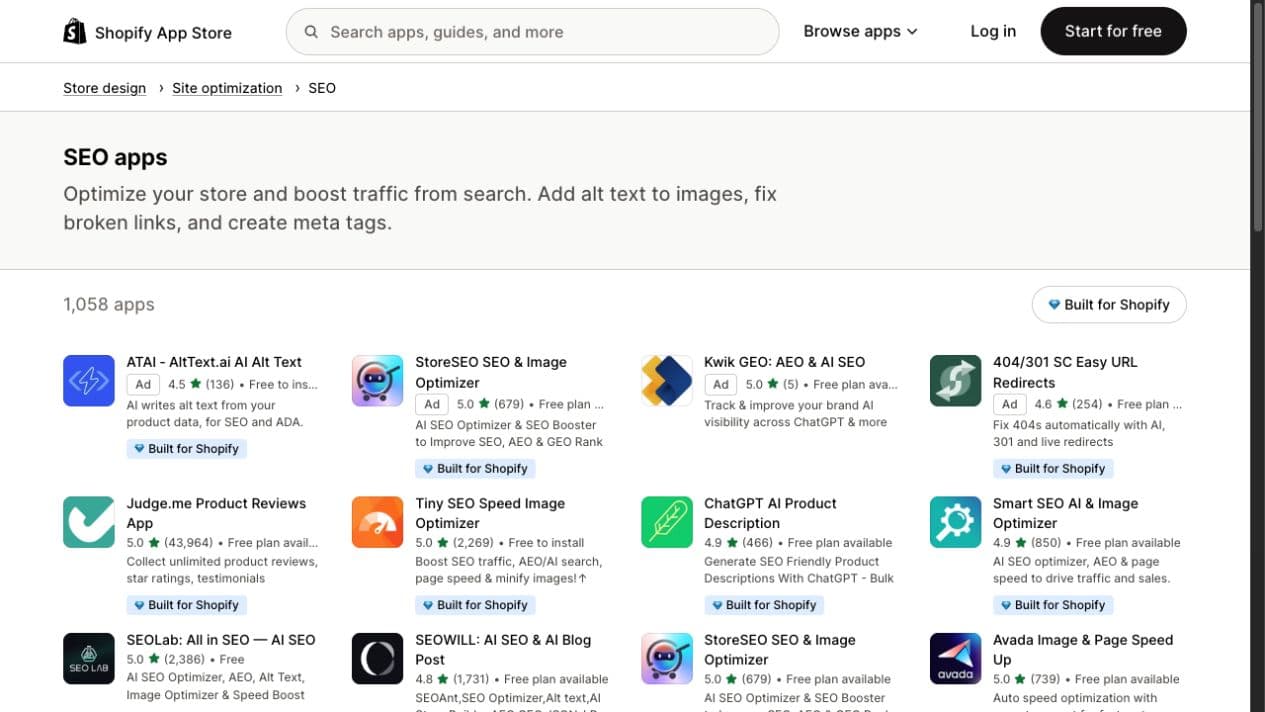
Treat ratings as marketplace feedback, not causal organic-growth evidence. Vendor claims still need to be tested against your own theme, catalogue and baseline.
A safe installation and rollback process
Treat every app as a production change, especially when it edits theme files, metadata, redirects, images or structured data.
- Define one problem and one owner. Record the affected templates or URL group, the baseline and the decision-maker.
- Audit existing output. Capture rendered titles, canonicals, robots directives, schema, important internal links and speed before installation.
- Check overlap. Identify whether the theme or another app already performs the same task.
- Use a duplicate theme or limited sample. Avoid enabling bulk changes across the complete catalogue on day one.
- Validate rendered pages. Inspect the HTML and user experience, not just the app dashboard.
- Measure against the baseline. Separate implementation validation from later search-performance evaluation.
- Document removal. Check whether uninstalling the app leaves snippets, scripts, metafields or redirects behind.
If the tool cannot explain what it changes or how to reverse the change, it is not ready for a revenue-critical store.
What changes for an Indian D2C Shopify brand
An Indian D2C store may have large catalogue updates, mobile-heavy traffic, several payment and shipping scripts, marketplace competition, regional merchandising, and small teams responsible for both content and commerce operations.
Prioritise tools that:
- preserve mobile storefront performance;
- support repeatable collection and product workflows rather than isolated page scores;
- provide clear billing and responsive support for the team's working hours;
- let humans review bulk content before publishing;
- handle discontinued products and collection changes safely; and
- expose what changed so SEO, development and merchandising teams can diagnose problems together.
Use a dedicated Shopify SEO optimisation process before expanding the app stack. Product content should follow a product-page SEO framework, not a generic app checklist.
Can Shopify SEO apps help with AI search?
They can improve inputs, but they cannot guarantee visibility in ChatGPT, Google AI experiences or another answer engine. Accurate product data, consistent entities, crawlable pages, clear policies, useful comparisons and coherent structured data can make a catalogue easier for machines to interpret. That is different from buying an “AI SEO” button.
Use an app only if its output improves information quality you can inspect. Structured data should agree with the visible product page, and generated content should accurately reflect the product. Our ecommerce schema markup guide explains the validation layer.
How to measure whether the tool was worth installing
Measure the job the tool was hired to do before looking for ranking changes.
- Implementation: affected URLs, valid metadata, fixed links, image bytes, rendered schema or removed code.
- Experience: Core Web Vitals, mobile usability and conversion-critical interactions. Use the Core Web Vitals guide for product pages to set the checks.
- Search: indexing, impressions, clicks, average position and query mix for the affected page group in Search Console.
- Commercial: organic landing-page sessions, product views, add-to-cart activity and revenue where attribution is reliable.
- Operations: hours saved, exceptions caught and manual review required.
Annotate the installation date and compare a meaningful page group rather than the whole store. Rankings fluctuate for many reasons, so do not attribute every later movement to the app.
FAQ
Shopify SEO tools and apps FAQ
Build the stack from the audit, not the App Store
Audit the store, isolate the highest-impact constraint, confirm Shopify or the theme does not already solve it, then test one intervention with a rollback plan. Start with our Shopify SEO audit guide, or discuss a complete Shopify SEO service for your store.
Need a second opinion?
Show us the store before you add another app.
Share your Shopify store. We will identify the first catalogue, template, performance or measurement constraint worth investigating, then tell you whether an app is even part of the answer.
- A human review of the live Shopify store
- The first issue we would investigate
- A clear next step, without a software sales pitch
Related Articles
Plan Shopify SEO across catalogue architecture, collections, products, themes, performance and structured data.
Audit the live store before choosing software, with checks for crawling, indexation, templates, internal links and measurement.