Ecommerce Content Marketing: Build a Content Engine That Drives Organic Revenue
Ecommerce content marketing should complete a searchable customer decision and connect it to the catalogue. Every page needs a verified query set, one intent owner, product evidence, an internal-link role, a useful next action and a dated measurement plan. This guide shows how to build that system without publishing isolated articles or invented performance claims.

Table of Contents
1. Why Most Ecommerce Content Generates Zero Revenue
An ecommerce blog can accumulate many articles without creating a useful search system. Typical failure modes are topics with no verified query, no distinct intent owner, no connection to a category or product, and no measurement plan. Publication count does not repair those gaps.
The problem was not the writing quality. The missing questions were: "Who is searching for this, what decision does the result set indicate, which page owns it, and what should happen next?" Content without a mapped demand set is difficult to evaluate. Content without a catalogue relationship can strand the customer. Content without measurement cannot support a reliable commercial conclusion.
The fix requires three things running simultaneously: keyword research that weighs intent and catalogue value, an entity-led cluster architecture that connects content to its commercial owner, and a measurable next action inside each page.
2. The Content Engine Framework: Four Layers That Drive Revenue
Think of your content as a funnel with four distinct layers, each with a specific job. The mistake most stores make is trying to get one piece of content to do all four jobs simultaneously — they end up with content that does none of them well. Assign each piece of content to exactly one layer, optimize for that layer's goal, and use internal links to move readers between layers.
Layer 1: Awareness content targets informational keywords where the reader has a problem but is not yet thinking about buying a product. "Why does my hair get frizzy in humid weather?" "What causes knee pain when running?" These posts rank for long-tail informational queries, introduce your brand to a new audience, and internally link to Layer 2 content. Their revenue contribution is indirect — they build audience and topical authority.
Layer 2: Education content targets commercial-investigation queries where the reader is actively researching solutions. The page should connect only to the categories and products that genuinely fit the stated criteria; the right number of links depends on the decision and available evidence.
Layer 3: Decision content targets comparisons, alternatives, reviews and other late-stage questions. The comparison needs stable entities, declared criteria, honest trade-offs and evidence. It should not favour a product through unsupported claims merely because the merchant sells it.
Layer 4: Retention content serves existing customers through care, use, compatibility, troubleshooting and replenishment guidance. Measure repeat behaviour separately; do not assume retention content is easier to rank or higher-margin without cohort evidence.
3. Topic Cluster Architecture for Ecommerce
A topic cluster is a group of content pieces that collectively establish your site as an authority on a specific subject. One pillar page covers the broad topic in depth. Multiple cluster pages each cover a specific subtopic in depth. All cluster pages link to the pillar, and the pillar links to all cluster pages. For ecommerce, your category pages function as natural pillar pages — the content you build around them forms the cluster.
Consider a hypothetical resistance-band cluster. The category page owns the purchasable product class. Supporting pages may cover band selection, material differences, care and exercises when live SERPs and qualified evidence support those topics. Each page links to the category and only the products relevant to its decision. This is an architecture example, not a ranking or revenue case study.
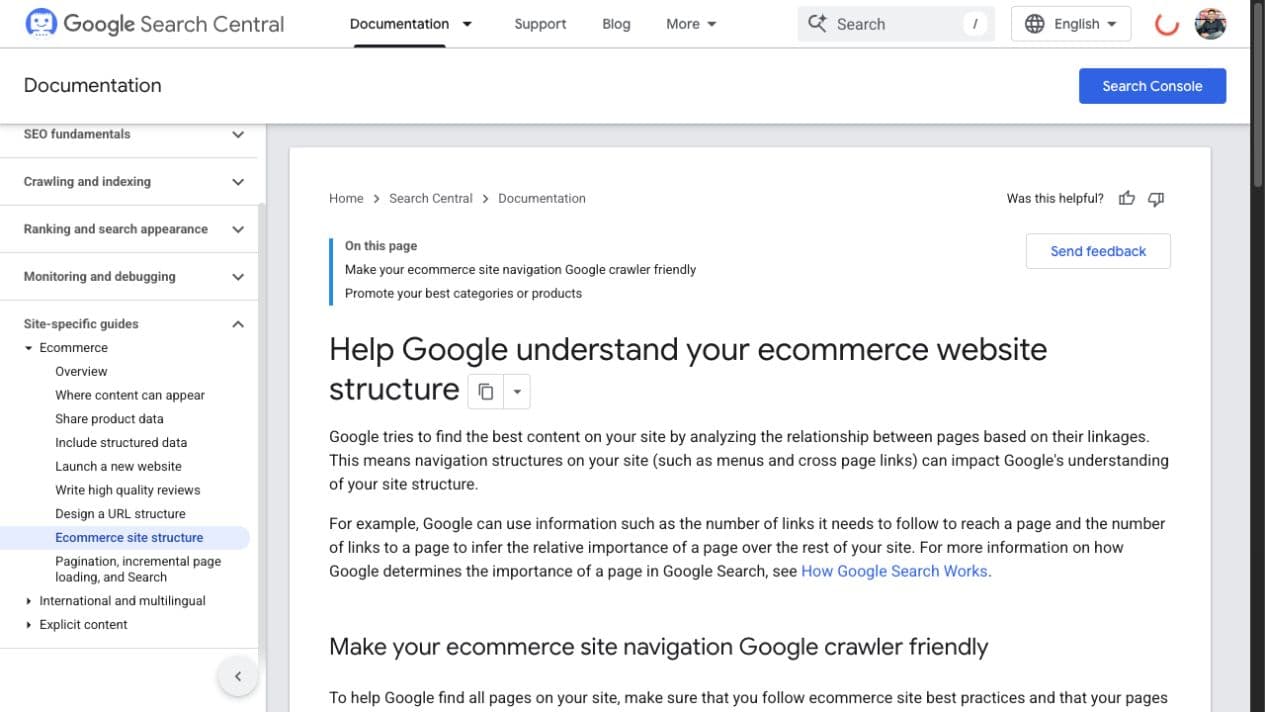
There is no minimum article count that guarantees a category-page improvement. Build the set required to cover the entity and customer decisions without overlap. Breadth, evidence, internal relationships and catalogue quality matter more than reaching a quota.
Topic Cluster Structure Example
PILLAR: /collections/yoga-mats (Category Page)
└─ /blog/how-to-choose-yoga-mat → links back to pillar + 3 products
└─ /blog/yoga-mat-thickness-guide → links back to pillar + 2 products
└─ /blog/best-yoga-mats-beginners → links back to pillar + 4 products
└─ /blog/pvc-vs-rubber-yoga-mat → links back to pillar + 3 products
└─ /blog/how-to-clean-yoga-mat → links back to pillar + mat cleaner product
└─ /blog/yoga-mat-exercises-no-class → links back to pillar + 2 products
└─ /blog/best-yoga-mat-hot-yoga → links back to pillar + 2 products
Each cluster post also internally links to 2–3 other cluster posts, creating a web of topical authority.
4. Intent Mapping: Every Piece of Content Gets Assigned a Stage
Before writing any piece of content, you must categorize the keyword's search intent. Intent mapping is not theoretical — you determine it by looking at what Google is currently ranking for a given query. Search the keyword and examine the top 10 results. If they are all blog posts or guides, the intent is informational or commercial-investigation. If they are all product pages or category pages, the intent is transactional. Trying to rank a blog post for a transactional query is a waste of content production time.
The intent mapping process for each content piece: (1) identify the primary keyword and search it, (2) categorize the dominant content type in top 10 results (product page, category page, article, video), (3) assign the piece to a funnel layer (awareness, education, decision, retention), (4) identify the 2-3 product or category pages this content should link to, (5) identify the 2-3 other content pieces this page should link to and receive links from. Once content is live, track keyword rankings at the page level to measure whether each piece is hitting its target positions. All of this happens before writing a single word.
A common intent-mapping failure is publishing a long article for a query whose current India results are dominated by product or category pages. That result set is evidence that a commercial page may be the better owner. Record the date and result types, then choose the page format that can satisfy the observed decision without competing with an existing owner.
5. The Content Types That Actually Drive Ecommerce Revenue
The following formats can support ecommerce decisions when the result page and catalogue justify them. Select by intent and evidence, not by a claimed universal conversion rate.
- Buying guides: Define a selection problem, criteria, eligible products and trade-offs. Link each recommendation to the correct current offer.
- Comparison posts ("X vs. Y"): Compare stable entities under the same criteria. Disclose limitations and avoid presenting promotional preference as evidence.
- How-to content connected to products: A guide such as "how to set up a home gym under ₹25,000" can define the task, constraints and eligible equipment, then link to current products where they genuinely complete a step.
- Best-of roundups: Publish only when the inclusion method and testing or product evidence are real. “Best” requires criteria, not a title template.
- Seasonal guides: Use dated demand evidence to plan research and publication before the relevant peak. Keep a durable URL when the intent recurs and refresh the products and claims.
6. Buying Guides: Help the Customer Make a Defensible Choice
A buying guide is useful when the customer needs criteria or trade-offs before selecting a product. A query such as "how to choose a standing desk" may contain research and purchase intent, but the current India SERP and the store's own landing-page behaviour should determine the owner. Do not assign a universal conversion rate to the format.
Start with the decision the reader will be able to make. Define only the criteria the category actually requires, explain the evidence behind them and show trade-offs. Include current products only when they meet the stated boundary. A comparison table can help when the fields are consistent; an FAQ belongs only when real supporting questions remain unanswered. Set length from the information required and the three-page optimizer corpus, not a universal word range.
Avoid brochure language and unsupported technical advice. Product claims, material properties and selection rules need an approved source. If the team has not tested an item or documented the evidence, describe the verified specification and its decision relevance without presenting a marketing preference as first-hand expertise.
Buying Guide Production Checklist
- ☐ Keyword confirmed with informational or commercial-investigation intent (check top 10 SERPs)
- ☐ Content depth set by the customer decision, evidence burden and three-page optimizer corpus
- ☐ Decision criteria and evidence owners identified
- ☐ Eligible current products selected under the stated criteria
- ☐ Comparison fields use consistent definitions where a table is useful
- ☐ Contextual links point to the correct current product and category owners
- ☐ Relevant catalogue and guide pages can link back without forced anchors
- ☐ Supporting questions come from recorded SERP and customer-language evidence
- ☐ Structured data describes only visible, eligible content
- ☐ Distribution plan identifies a relevant audience and a non-spam rationale
7. Internal Linking: Connecting Content to Product Pages
Internal links connect an informational decision to the relevant category, collection or product owner; our ecommerce internal linking guide covers the wider system. Define that relationship before publishing and measure link use and downstream behaviour rather than assuming that traffic or backlinks automatically create product-page revenue.
Every piece should have a defined link role: the page owners that logically continue the task and the parent or sibling pages that establish context. Use descriptive anchors that identify the destination. Keep calls to action separate from explanatory links so each can be measured on its own.
Category pages often provide the stable commercial owner for supporting guides. Link to the canonical owner with anchors that accurately describe the relationship. Avoid manufacturing anchor variation or repeating exact-match phrases; the useful signal is a crawlable, coherent connection inside the catalogue and content graph.
Review internal links monthly with the page-owner map. Check orphaned owners, links to redirected or unavailable URLs, repeated anchors that misdescribe the destination and guides that lack a next step. Prioritise fixes by customer task, crawl path and commercial importance; do not use a fixed link-count or ranking timeline as the decision rule.
8. Building a Content Calendar That Prioritizes Revenue
A content calendar needs more than topics the team finds interesting. Build it from approved keyword opportunities, customer decisions, catalogue support, evidence availability and seasonal demand, then assign an owner and review date to every URL.
Build the calendar from approved category priorities, verified query sets, intent owners, product evidence and seasonal India demand. Back-plan each release from the observed demand curve and the team's research, approval, production and indexation history. Add original research or tools only when the method, maintenance owner and customer value are real.
| Content Piece | Layer | Primary Keyword | Evidence Record | Links To | Publish By |
|---|---|---|---|---|---|
| How to choose a yoga mat | Education | how to choose yoga mat | India volume + task ID + date | /collections/yoga-mats | Week 2 |
| PVC vs rubber yoga mat | Decision | pvc vs rubber yoga mat | India volume + SERP type + date | /collections/yoga-mats + 2 products | Week 3 |
| Diwali fitness gift guide | Decision | fitness gifts diwali | India trend window + catalogue status | 6 product pages | Oct 1 (seasonal) |
| Best yoga mats for beginners | Education | best yoga mat for beginners | India volume + decision evidence | /collections/yoga-mats + 3 products | Week 5 |
9. Converting Content Traffic: CTAs, Product Embeds, and Exit Intent
Content conversion should be measured from the site's own page groups and customer path. Record the content landing session, internal product or category click, add-to-cart, completed order and attribution policy. Do not apply a generic conversion benchmark to every topic or category.
The conversion elements that work inside content: contextual product embeds (a product card with image, name, price, and "Add to cart" button embedded within the body copy, adjacent to the text recommending it), in-content CTAs that are specific to the decision the reader just made ("Ready to start? The Boldfit Resistance Band Set is what we recommend for beginners"), and sticky sidebar or bottom-bar CTAs for mobile (where most content sessions happen but where in-body embeds are less visible).
Test interruptive overlays carefully against mobile usability, engagement and completed commercial outcomes. A safer default is to make the next step useful inside the content, send the reader to the correct product or category owner, and remove friction from that path.
10. Measuring Content Revenue Attribution in GA4
Measurement needs a documented event and attribution plan before the content is evaluated. Implementation effort varies with the analytics stack, consent setup, commerce platform and data quality.
In GA4 Explorations, analyse sessions that include a content landing page and inspect the events and pages that follow, including product views, add-to-cart and purchase where tracking is reliable. Use Advertising attribution reports for supported key-event path analysis, and export the underlying dimensions and date range. Do not present a generic "assisted conversions" field as if it were a universal page-level GA4 metric.
Keep direct, assisted and modelled contribution separate. Internal-link clicks can be tracked with event parameters that preserve the original acquisition source; avoid overwriting acquisition with campaign tags on internal links. Reconcile completed-order revenue and returns under the same policy before reporting content contribution.
A useful monthly report groups content by intent owner and shows impressions, clicks, landing sessions, internal destination clicks, completed orders, assisted paths, content cost and the attribution rule. Keep estimates labelled and retain the underlying export so another analyst can reproduce the result.
FAQ
Ecommerce Content Marketing FAQs
From Content Inventory to a Governed Content Engine
You do not need to delete existing content simply because traffic is low. Export the indexable content inventory and compare each URL's intent owner, query impressions, clicks, internal destinations, conversions, evidence quality and maintenance cost over a documented period. Keep pages that fulfil a distinct task, refresh pages with viable but incomplete ownership, consolidate genuine overlaps and redirect only when a better destination exists. On-site search can add first-party customer language to this review; our guide to ecommerce internal search optimization explains that source.
Sequence the transition by dependency rather than a fixed six-month promise. First establish the page-owner map and measurement baseline. Then complete one commercially relevant cluster, repair its internal links and conversion paths, and review observed search and commerce behaviour. Expand only when the first cluster meets its accuracy and maintenance standard. If a page earns genuine references, our ecommerce link-building guide covers responsible promotion without a fixed outreach quota.
Content can continue serving search demand after publication, but it still carries research, production, hosting, product-update and refresh costs. Evaluate the page against its dated baseline and keep its catalogue links, evidence and commercial path current.
Ready to Build a Content Engine That Drives Real Revenue?
We audit your existing content, build your topic cluster architecture, map every piece to buyer intent, and create a production roadmap that connects content to product pages with a documented measurement plan.
Aditya went above and beyond to understand our business needs and delivered SEO strategies that actually moved the needle.
Related Articles
Stop targeting keywords by volume alone. Map search terms to the buyer journey and prioritize by revenue potential, not just traffic.
Build a full ecommerce SEO strategy from scratch. Covers keyword research, site architecture, content planning, technical optimization, and measurement.