
Magento SEO is the work of making an Adobe Commerce or Magento Open Source catalogue easy to crawl, interpret and buy from. The difficult part is rarely one missing title tag. It is the interaction between store scope, category paths, URL rewrites, layered navigation, product data, caching and releases.
This guide gives you an order of operations. It tells you where a change belongs, what to verify, and what can go wrong. The exact implementation still depends on your Commerce edition, hosting model, storefront and catalogue history.
Magento SEO in one minute
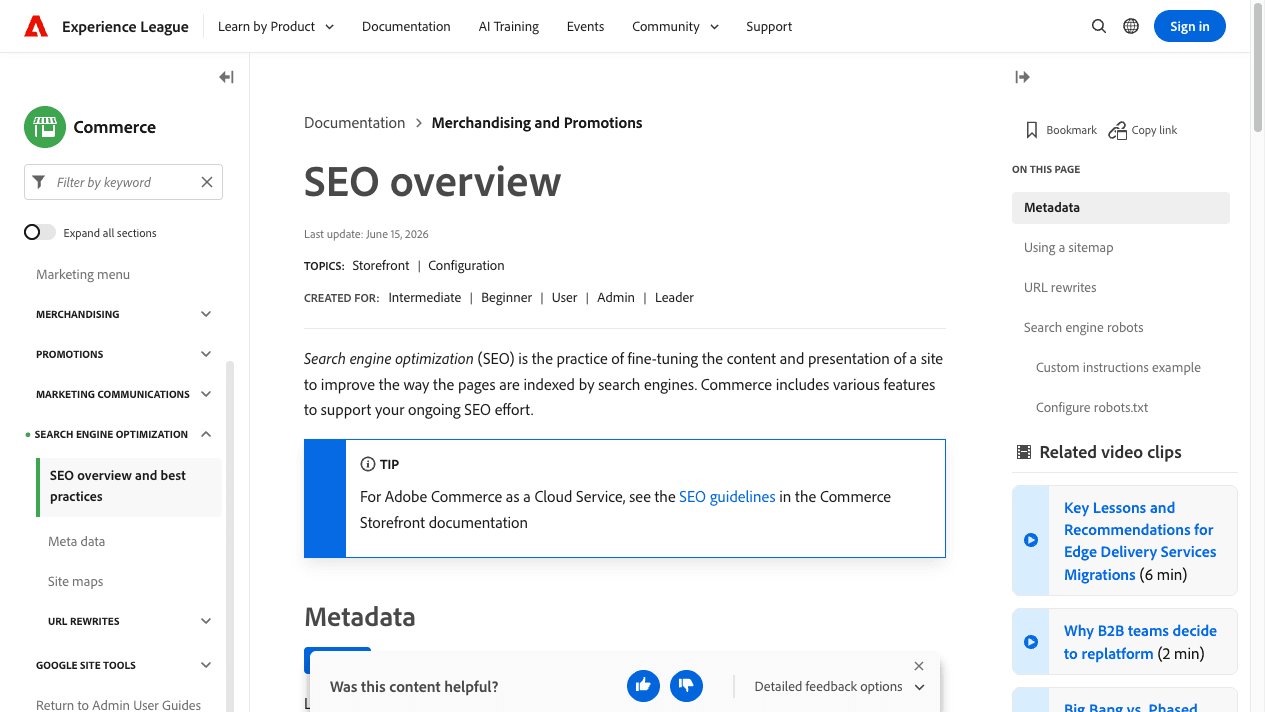
Magento provides controls for metadata, XML sitemaps, URL rewrites, canonical URLs and search-engine robots. Adobe documents these surfaces in its Commerce SEO overview. That does not mean every catalogue starts with the right configuration.
The strongest implementation usually follows this order:
- identify the deployment model, store views and current URL rules;
- decide which categories, products, CMS pages and selected facets deserve indexation;
- make internal links, canonicals and sitemap entries point to the same preferred URLs;
- preserve old demand with tested 301 redirects when URLs change;
- make product and category content answer the buyer's query;
- ensure product markup matches the page and feed;
- test caching, rendering and Core Web Vitals on representative templates;
- release through a crawl and Search Console measurement plan.
A merchant can own the intent and commercial decisions. A Magento developer should own modules, templates, deployment and cache changes. SEO should define the preferred URL and verification rules. Mixing those responsibilities without a written release plan is how one catalogue fix breaks another.
Prerequisites: identify the Commerce system before changing settings
Do not copy a Magento checklist into production until the team can answer these questions:
- Is the store Magento Open Source, Adobe Commerce on cloud infrastructure, Adobe Commerce as a Cloud Service, or another supported deployment?
- Does the storefront use Magento's standard rendering, PWA Studio, Adobe Commerce Storefront, or a custom headless frontend?
- Which configuration scopes inherit the setting across websites and store views?
- Are category paths currently included in product URLs?
- Which URL suffixes and URL keys have already been indexed?
- Which filters already earn impressions or sales?
- Where are canonical tags and product structured data generated?
- Is Fastly, Varnish or another full-page cache responsible for the production response?
- Can the team crawl staging without exposing it to search engines?
In Magento Admin, configuration scope matters. Check the scope selector before saving a value under Stores > Settings > Configuration. A website-level change may behave differently from a default-config change. Record the original value and the scope before editing it.
Verification starts with a representative URL set, not the homepage alone. Include:
- the top revenue category;
- a category that has filters;
- one simple and one configurable product;
- an out-of-stock product;
- a representative CMS page;
- one redirected legacy URL; and
- every active store view.
Save the current status code, canonical URL, robots directive, title, structured data and internal-link path for every sample. This becomes the regression baseline.
Magento SEO checklist ordered by catalogue risk
Use the checklist in this order. A later item cannot compensate for a wrong preferred URL.
| Priority | Magento surface | Decision | Verification |
|---|---|---|---|
| 1 | Store and website scope | Which settings inherit across store views? | Export configuration and test one URL per scope |
| 2 | Catalogue URLs | Which product and category URL is preferred? | Crawl internal links, canonicals and sitemap entries |
| 3 | URL rewrites | Which retired URL redirects to which current URL? | Request old URLs and confirm one-hop 301s |
| 4 | Layered navigation | Which filter combinations deserve landing pages? | Crawl parameters and compare against demand |
| 5 | Categories and products | Does each page satisfy its commercial query? | Inspect visible copy, inventory and internal links |
| 6 | XML sitemap and robots | Are useful URLs discoverable without opening crawl traps? | Validate sitemap entries and robots rules separately |
| 7 | Product structured data | Does markup match visible product facts? | Validate representative product types |
| 8 | Caching and storefront | Does the rendered response stay fast and complete? | Test field and lab data by template |
| 9 | Release and migration | Are old signals preserved after change? | Pre-release crawl, redirect test and post-release monitoring |
This sequence protects revenue-bearing category and product paths before the team spends time rewriting copy or installing an extension.
Fix Magento URL keys, rewrites and canonical URLs together
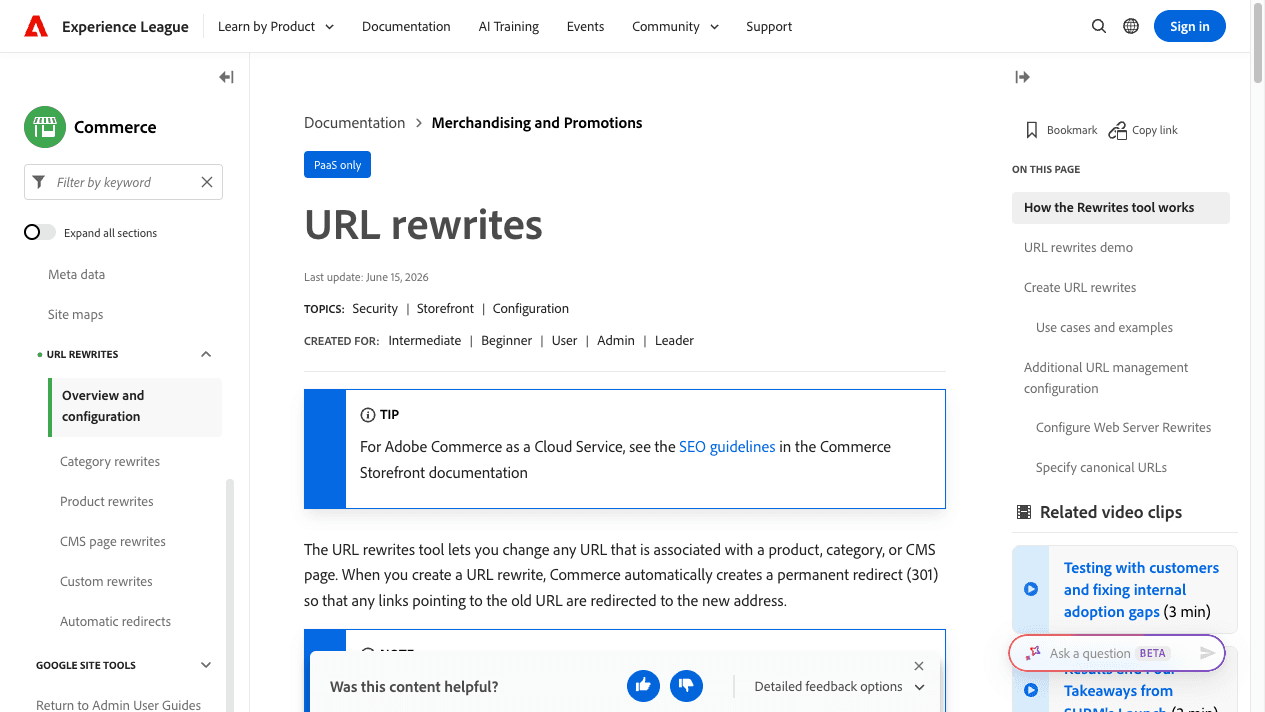
Magento stores a URL key for a category, product or CMS page and creates rewrites that map readable paths to internal routes. Adobe's current URL rewrite documentation says the tool can create permanent redirects when those URLs change.
Decide the preferred URL convention
Open Stores > Settings > Configuration > Catalog > Catalog > Search Engine Optimization and review the product URL suffix, category URL suffix, category-path setting and canonical controls. Do not change a live suffix or category-path convention only because a shorter URL looks cleaner.
First export or crawl the current indexed URLs. Then model the proposed paths and redirect pairs. A large store may have links from campaigns, marketplaces, editorial pages and customer wishlists that never appear in the main navigation.
Verify: crawl both the current and proposed sets. Every retired URL should reach its closest replacement through one 301 redirect. The destination should return 200, include a self-referencing canonical when appropriate, and be linked internally.
Commercial risk controlled: product and category URL changes can discard accumulated discovery and send shoppers to irrelevant destinations if the mapping is based only on strings.
Use URL rewrites for replacements, not blanket redirection
Magento's rewrite management is available under Marketing > SEO & Search > URL Rewrites in supported admin experiences. Before creating a custom rewrite, check whether a system rewrite already owns the request path.
Redirect an unavailable product to a true replacement or a useful parent category when that matches user intent. Do not send every retired product to the homepage. If no meaningful substitute exists, a clear 404 or 410 can be more honest than a soft-404 experience.
Verify: request the legacy URL without relying on browser cache. Confirm status codes, redirect count and final destination. Then search the database of internal links or run a crawl to remove links to the legacy path.
Treat canonicals as consolidation signals
Adobe documents canonical controls for categories and products. Enable them only as part of a preferred-URL plan. A canonical does not prevent Google from crawling a filter URL, and it does not repair internal links that keep pointing to duplicates.
On a representative category and product, inspect the rendered <head> and confirm exactly one intended canonical. Test products reachable through several category paths. Test store views with language or currency differences separately.
Verify: compare the canonical, sitemap URL and most common internal-link target. Those three should not disagree without a documented reason.
Control layered navigation without deleting useful demand
Magento layered navigation can create colour and size combinations alongside price or brand filters. Other product attributes can multiply the set further. Google's faceted-navigation guidance warns that these spaces can become effectively unbounded and slow the discovery of useful pages.
The correct question is not “Should every filtered URL be blocked?” It is “Which combinations represent a stable buyer query and enough products to deserve a landing page?”
Classify each filter family
Create three groups:
- Indexable demand: durable combinations such as a brand or product type with verified search demand, useful inventory, distinct copy and internal links.
- User-only refinement: combinations that help shoppers but do not need a search landing page, such as transient price ranges or multiple sorting orders.
- Invalid or empty states: combinations with no products, contradictory attributes or session-specific values.
For the first group, create controlled landing pages with stable URLs, self-referencing canonicals, meaningful titles, unique context and crawlable internal links. Do not depend on arbitrary parameter order.
For the second and third groups, choose a control appropriate to the storefront and crawl behaviour. Options may include preventing crawl of unwanted parameter patterns, using meta robots where Google must see the directive, removing crawlable links to useless combinations, or handling filters without producing new indexable URLs. The final method requires development and crawl testing.
Verify: crawl from a category page with parameter collection enabled. Count unique combinations, response codes, canonical targets, robots directives and internal links. Compare approved filter landing pages against Search Console impressions and organic landing-page behaviour.
Commercial risk controlled: a blanket block can remove a valuable category variant, while uncontrolled facets can make Google spend time on combinations that never convert or satisfy a distinct query.
Build category pages around buying decisions
A Magento category page should help a buyer choose within a product set. A generic paragraph added below hundreds of products rarely does that. The category page SEO guide covers the wider architecture and content decisions.
In Catalog > Categories, set a distinct category name, URL key, page title and meta description where the admin version exposes those fields. More important, decide what information belongs above or around the product grid:
- the product type and intended use;
- important selection attributes;
- size, material, compatibility or care constraints;
- delivery, returns or availability facts that apply to the set;
- links to useful subcategories; and
- answers that reduce uncertainty without hiding products.
Keep merchandising and SEO aligned. If a category targets “women's trail running shoes,” the products, heading, copy, filters and internal links should all support that meaning. Do not leave a high-demand category empty because stock rules moved every item elsewhere.
Verify: view the rendered mobile page, not just the admin fields. Confirm the main heading, introductory context, product availability, crawlable pagination or loading method, canonical and links to child categories.
Category improvements can increase qualified entry sessions and make product discovery easier. They cannot guarantee revenue. Track the category as a landing-page group and connect Search Console data with analytics events and orders where attribution is dependable.
Keep product facts consistent across the store and feeds
Magento product pages often contain several sources of truth: the catalogue record, configurable variants, theme output, product structured data and a shopping feed. Search systems and buyers should not receive conflicting prices, availability, names or variant relationships. Use the product page SEO guide when the issue extends beyond Magento configuration.
For each representative product type, check:
- product name and main heading;
- short and long description;
- SKU, brand and identifiers where applicable;
- price and offer availability;
- selected variant and variant URL behaviour;
- image alt text that describes the image purpose;
- breadcrumb and category links;
- delivery and returns information visible to the shopper; and
- the rendered Product structured data.
Adobe documents schema.org-based markup in product templates. Google's Product structured data documentation describes supported product information and eligibility requirements. Eligibility is not a promise that Google will show a rich result. Our ecommerce schema markup guide explains the entity checks outside Magento.
Do not publish review markup unless the visible page contains eligible review information collected under a defensible process. Do not invent identifiers. If an attribute is unavailable, fix the catalogue source rather than generating a plausible value.
Verify: use Google's rich-result and schema tools on a simple product, configurable product, discounted product, out-of-stock item and product without reviews. Compare the markup with visible text and the merchant feed.
Commercial risk controlled: mismatched price or availability damages trust and can create feed or enhancement errors on pages closest to purchase.
Configure XML sitemaps and robots controls for different jobs
An XML sitemap proposes preferred URLs for discovery. A robots.txt rule controls crawling. A meta robots directive can affect indexation after the page is crawled. They are not substitutes.
Adobe's SEO overview documents sitemap and search-engine robots controls. Review sitemap settings under Stores > Settings > Configuration > Catalog > XML Sitemap, then manage sitemap records through the relevant SEO/Search admin section for the installed version.
Include canonical, indexable URLs that return 200. Exclude redirected, duplicate, invalid and intentionally non-indexable URLs. For a large catalogue, monitor file limits and processing rather than assuming one file is always sufficient.
Edit robots instructions through the store-view design configuration described by Adobe, commonly under Content > Design > Configuration. Keep staging blocked from public discovery, but confirm production does not inherit staging rules.
Never use robots.txt as proof that a URL has left Google's index. If Google cannot crawl the page, it may not see a new meta robots directive.
Verify: fetch /robots.txt, parse every submitted sitemap, request a sample of each URL type, and check Search Console's indexing reports after release. Record “submitted” and “indexed” as different states.
Performance advice depends on the Magento deployment model
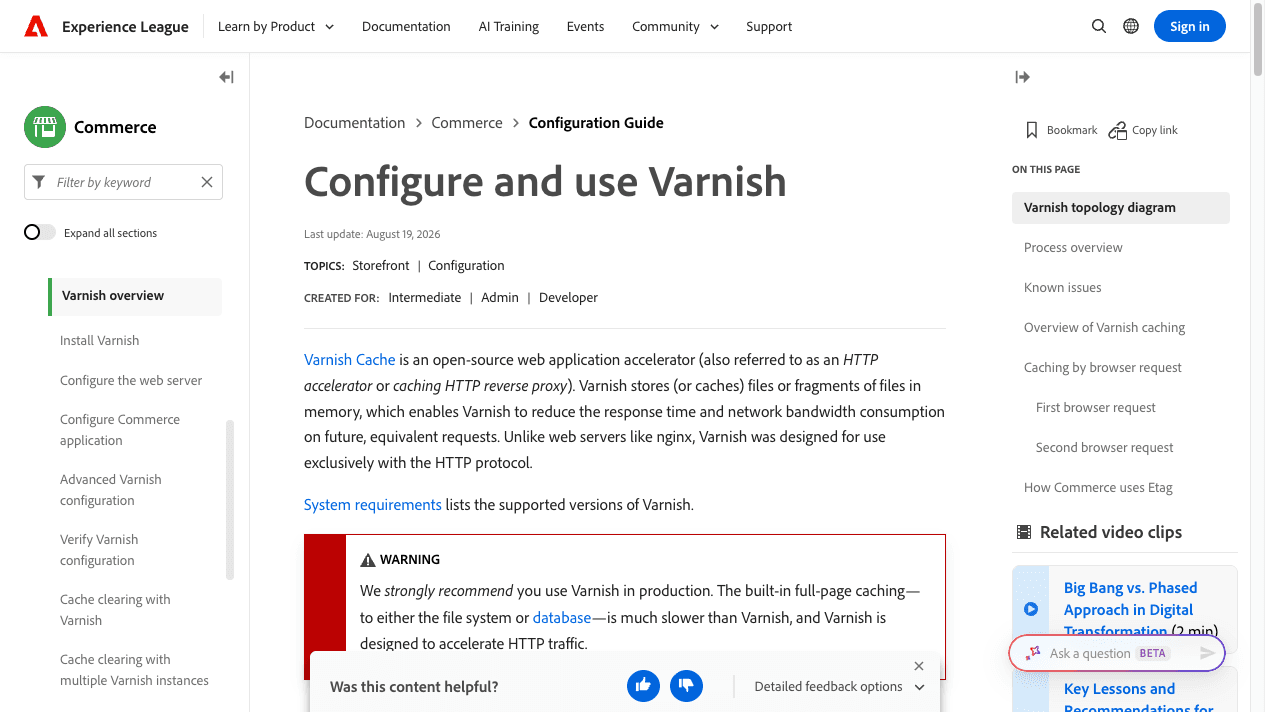
Adobe strongly recommends production caching for supported deployments. Its current Varnish documentation also distinguishes self-managed guidance from Adobe Commerce on cloud infrastructure, where Fastly is used for full-page caching.
Start by naming the system:
- Adobe Commerce on cloud infrastructure: inspect Fastly configuration, cacheability, custom VCL, image delivery and deployment logs with the platform team.
- Supported self-managed Adobe Commerce or Magento Open Source: confirm whether Varnish is installed, configured as the full-page cache, and placed correctly in front of the application.
- Headless storefront: test the actual frontend, server rendering or static generation, API calls, cache headers and hydration. A fast admin response does not prove a fast product page.
Adobe also documents production caches and Update on Schedule for indexers under load. Apply those settings only after confirming they fit the deployment and operational workflow.
Measure by template and device. Test top categories, simple products, configurable products, search, cart-adjacent pages and pages with third-party scripts. Core Web Vitals should be read from field data where available, with lab tests used for diagnosis. Use the product-page Core Web Vitals guide for the measurement workflow.
Verify: compare rendered content, cache status, server timing, JavaScript errors, Largest Contentful Paint, Interaction to Next Paint and Cumulative Layout Shift before and after the release. A faster response that omits price or stock is not a successful change.
Use a release-safe Magento migration sequence
A migration can change the Commerce version, domain, protocol, category tree, URL keys, theme, storefront or all of them at once. That makes attribution difficult and rollback risky.
Use this sequence:
- Crawl the current production site and export high-value landing URLs.
- Record search and revenue baselines by page group, including query and click data.
- Map old URLs to the closest new page, with exceptions reviewed by merchandising.
- Build the staging catalogue and test store-view scope.
- Compare titles, canonicals, robots directives, structured data, internal links and sitemaps.
- Test the complete redirect file for chains and loops, then identify missing destinations.
- Protect staging while ensuring production rules will change at launch.
- Release during a monitored window with development, SEO, merchandising and analytics owners present.
- Crawl production immediately and again after search engines revisit key groups.
- Watch Search Console, analytics, logs and orders by old and new page groups.
Do not judge the migration from total traffic alone. Brand demand and campaign timing can move with seasonality and stock. Use matched page groups and annotate the release. The ecommerce SEO migration guide provides the cross-platform release framework.
Measure Magento SEO as catalogue operations, not one ranking
Create a monthly scorecard with four layers:
Technical state
Track indexable URLs, non-200 internal links, redirect chains, canonical conflicts, duplicate titles, sitemap errors, structured-data validity and crawl activity by template.
Search discovery
In Google Search Console, group categories, products, CMS pages and approved filter landing pages. Compare impressions, clicks, average position and query mix. Record new versus existing URLs separately after a migration.
Shopper behaviour
In analytics, compare organic landing sessions, product views, add-to-cart events, checkout starts and orders by page group. Treat attribution limitations openly.
Operating cost
Record development hours, merchandising exceptions, content review time, crawl waste and release defects. The best fix may be the one that prevents repeated catalogue errors, even before rankings change.
Use a stable comparison period and note stock, promotions, paid campaigns and seasonality. There is no honest universal timeline or uplift percentage for Magento SEO.
Magento SEO for Indian D2C and retail teams
Indian Magento and Adobe Commerce stores may combine their own site with marketplaces, retail outlets, distributor feeds and rapid catalogue changes. Search pages still need to represent current product truth.
Give special attention to:
- mobile performance on real device and network conditions;
- COD, delivery, return and availability information where it affects the buying decision;
- category names that match how Indian buyers search, without forcing “India” into every title;
- store views and regional merchandising rules;
- marketplace and merchant-feed consistency;
- discontinued products during seasonal or assortment changes; and
- coordination between SEO, development and catalogue teams.
AI search does not replace this foundation. Clear product entities, consistent attributes, accessible category context and valid structured data can make information easier to retrieve. No platform setting guarantees a citation in ChatGPT, Google AI features or shopping agents.
Magento SEO FAQ
What is Magento used for?
Magento Open Source and Adobe Commerce are ecommerce platforms used to manage catalogues, content, pricing, orders and storefront experiences. Adobe Commerce adds licensed enterprise capabilities and supported deployment options. The exact feature set depends on the product and version.
Is Magento the same as Adobe Commerce?
Not exactly. Magento Open Source remains the open-source product. Adobe Commerce is the commercial product based on Magento technology. Documentation and implementation advice must name the edition and deployment model.
Is Magento free to use?
Magento Open Source can be downloaded without an Adobe Commerce licence fee. Running it still requires hosting and development, plus ongoing security and maintenance. Adobe Commerce is licensed. Current commercial terms should be checked with Adobe.
Is Magento the same as Shopify?
No. Shopify is a hosted commerce platform with a different operating model. Magento Open Source and Adobe Commerce give teams more control over application and catalogue behaviour, which also creates more technical responsibility. Platform choice should follow catalogue needs and integrations, then the team's ownership capacity. It should not follow an SEO superlative.
Do Magento SEO extensions guarantee rankings?
No. An extension can help implement or monitor a defined task. It can also conflict with theme code, structured data or another module. Test the rendered result and use the smallest tool set that solves a verified gap.
Turn the guide into a release plan
Start with scope, preferred URLs and representative templates. Then classify facets, align category and product information, validate structured data, and test the deployment-specific cache. Finish with a crawl, Search Console baseline and named owners.
If your team needs an independent review, request a Magento SEO review from this page. Include the Commerce edition, storefront, catalogue size, primary market and the change you are considering. That gives us enough context to discuss the right diagnostic path without sending you through a generic audit funnel.